What Does HDR Projects 9 Do?
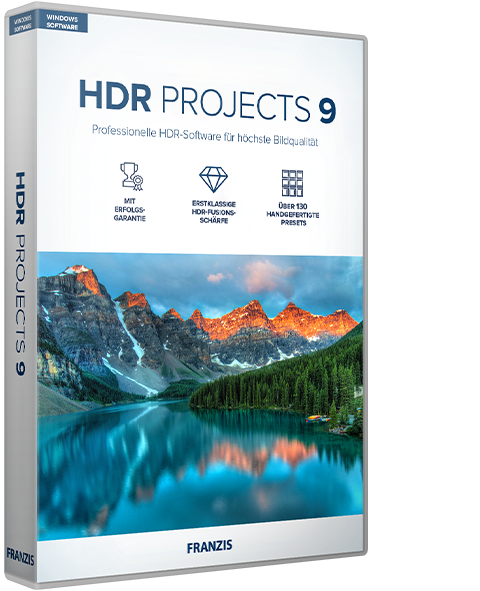
HDR projects 9 is a professional-grade standalone software for Windows designed to optimize high-dynamic-range imagery. The application allows users to transform exposure series or single images into high-resolution files by emphasizing fine details, contrast, and color vibrancy. It functions as a complete toolset for photographers looking to achieve technical precision without requiring secondary editing suites.
Key technical features of this version include:
- HDR Fusion Stacking: A specialized feature designed to eliminate halo artifacts during focus stacking, ensuring clean transitions in complex compositions.
- Noise Reduction: Revised presets address color noise in low-light situations by applying reduction filters before the tone mapping process begins.
- Extensive Presets: The software provides 212 distinct presets that automate initial adjustments while allowing for selective manual optimization.
- Automatic Exposure Bracketing: The processing engine handles the assembly of exposure series automatically, streamlining the workflow for multi-shot captures.
The software is built to handle difficult lighting conditions, providing tools for both automatic processing and independent image manipulation. By utilizing these HDR technologies, users can maintain control over the technical standards of their output, regardless of whether they are working with professional brackets or individual image files. The system is designed to produce clean, artifact-free results for both photographic and creative applications.
Top 5 Reasons To Download HDR Projects 9
If you have ever been frustrated by a landscape photo that looked breathtaking in person but came out dull and flat on your screen, you are not alone. The struggle to capture the full range of light—from the deepest shadows to the brightest highlights—is a challenge as old as photography itself. This is where High Dynamic Range (HDR) technology comes in, and specifically, why HDR projects 9 is currently the most exciting tool in the digital darkroom. This isn't just another photo filter app; it is a professional-grade engine designed to extract every ounce of potential from your image data. Whether you are a hobbyist looking to make your vacation photos pop or a professional photographer needing a reliable stacking solution, this software is a game-changer.
Before we dive into the nitty-gritty details of the interface and the technical wizardry happening under the hood, let’s look at the core value proposition. Here are the top five reasons why you need to download this giveaway immediately:
- Advanced HDR Fusion Stacking: Say goodbye to the "halo effect" and unrealistic ghosting that plagues many HDR images. This software uses sophisticated stacking to ensure crisp, natural transitions.
- A Massive Library of 212 Professional Presets: Instant creative inspiration is at your fingertips with a diverse range of presets that cater to every style, from hyper-realistic architecture to dreamy, artistic landscapes.
- Dedicated Low-Light Noise Reduction: The new pre-tone mapping noise reduction allows you to rescue photos taken in difficult lighting conditions, producing cleaner, sharper results than ever before.
- Complete Standalone Power: You don't need to pay for expensive monthly subscriptions to other photo suites. HDR projects 9 works as a fully independent program, giving you professional results without the overhead.
- Precision Selective Editing Tools: Beyond global adjustments, the selective character of the software allows you to optimize specific areas of your image, giving you total creative control over the final "work of art."
1. Advanced HDR Fusion Stacking: The End of Annoying Halos
One of the biggest hurdles in HDR photography has always been the dreaded "halo." You’ve seen them before—those strange, glowing outlines that appear where a dark building meets a bright sky. They happen when software struggles to blend different exposure levels smoothly. It’s the hallmark of amateur HDR editing, and it can ruin an otherwise perfect shot. HDR projects 9 tackles this head-on with its new HDR Fusion Stacking technology.
This isn't just a minor tweak; it’s a fundamental shift in how the software processes image data. When you load an exposure series into the program, the fusion engine analyzes the edges and transitions with extreme precision. It intelligently blends the brightest and darkest areas without creating those digital artifacts. This means you can finally achieve that high-contrast look without the image looking "over-processed" or fake. For photographers who specialize in architecture or high-contrast landscapes, this feature alone makes the software worth its weight in gold. You can focus on the composition and the mood of the piece rather than spending hours in post-production trying to "paint out" halos around trees or rooftops.
Furthermore, the stacking process is incredibly efficient. It handles focus stacking and exposure blending simultaneously, ensuring that the final output is high-resolution and technically flawless. By automating the heavy lifting of alignment and blending, the software allows you to move straight to the creative phase of editing. It’s about working smarter, not harder, and achieving a level of image clarity that was previously reserved for those with years of experience in manual masking.
2. A Massive Library of 212 Professional Presets
Let’s talk about workflow. We’ve all had those days where we have hundreds of photos to process and not enough time to sit and tweak every single slider. This is where the 212 presets in HDR projects 9 become your best friend. But don’t mistake these for the "filters" you find on social media apps. These are professionally calibrated templates designed to serve as high-end starting points for your creative vision.
The variety is staggering. Whether you are looking for a "Natural" look that simply expands the dynamic range without drawing attention to the processing, or a "Surreal" look that emphasizes texture and grit, there is a preset for it. These presets are categorized to help you find the right mood quickly. You can browse through landscapes, portraits, architecture, and artistic categories, seeing a real-time preview of how each one affects your specific image. This is a fantastic way to experiment with styles you might not have considered. Sometimes, a "Monochrome" HDR preset can reveal textures in a stone wall or a cloud formation that you didn't even notice in the color version.
What makes these presets even more powerful is that they are fully customizable. Once you apply a preset, you aren't locked in. Every setting—from the tone mapping algorithm to the color balance—remains adjustable. This allows you to use a preset as a foundation and then refine it to suit your specific taste. It’s a perfect balance of speed and control. For the beginner, it provides an immediate "wow" factor; for the professional, it provides a rapid prototyping tool to see which direction an image should take.
3. Dedicated Low-Light Noise Reduction
Every photographer knows the pain of digital noise. When you’re shooting in low light—perhaps a sunset, an interior, or a night-time cityscape—you often have to push your ISO settings. This results in "grain" or "noise" that can muddy the details and ruin the vibrant colors you were trying to capture. Standard noise reduction often comes at a cost: it blurs the image, making it look soft and losing the fine details.
HDR projects 9 introduces a sensational solution with its revised presets and noise reduction engine. The key innovation here is that the software can reduce color noise before the tone mapping process occurs. This is a critical distinction. In many other programs, noise reduction is an afterthought, applied to the final image. By tackling the noise at the source—the raw data before it is stretched and pulled by HDR algorithms—HDR projects 9 ensures that the final "work of art" is significantly cleaner.
This means you can rescue photos that you might have previously deleted as "unusable." It gives you the confidence to shoot in difficult lighting conditions, knowing that you have the tools to clean up the sensor's limitations in post-processing. The result is a photo that maintains its sharpness and detail while eliminating the distracting colored speckles in the shadows. It allows the "vibrant colors and overwhelming richness of contrast" promised by the software to truly shine through without being obscured by digital interference.
4. Complete Standalone Power
One of the most frustrating trends in modern software is the "subscription trap." Many of the big-name photo editors require you to pay a monthly fee forever just to keep access to your tools. HDR projects 9 stands apart as a robust, standalone application. You don't need Photoshop, you don't need Lightroom, and you don't need a cloud subscription to make this work. It is a complete ecosystem for HDR photography right on your Windows machine.
Being a standalone program means it is optimized for its specific task. It doesn't have the bloat of a general-purpose editor. Every tool and menu item is there to serve the purpose of creating the perfect HDR image. This leads to a more streamlined workflow and, often, faster performance. You simply load your images—whether it’s a single RAW file or a bracketed exposure series—and the software takes it from there. It can even create automatic exposure brackets if you only have a single image to work with, using its internal algorithms to simulate different exposure levels and pull out hidden detail.
For Windows users, this is a dedicated powerhouse. It integrates perfectly with your existing file system, allowing for easy import and export of high-resolution files. The fact that it's a standalone tool also means it’s easier to learn. You aren't distracted by thousands of tools you'll never use. Instead, you have a professional suite of tools designed specifically for luminance, contrast, and color. It’s the specialist tool that every photographer needs in their digital kit bag.
5. Precision Selective Editing Tools
Finally, we have to talk about the "Selective Character" of this software. In many basic HDR programs, any change you make applies to the entire image. If you want to make the sky bluer, the ground gets bluer too. If you want to brighten the shadows in a doorway, the highlights in the window might blow out. This "all or nothing" approach is the enemy of professional photography. HDR projects 9 solves this with its selective editing capabilities.
This feature allows you to optimize your images completely freely and independently. You can choose to apply specific effects or adjustments only to certain parts of your photo. Want to increase the detail in the foreground rocks without making the distant mountains look too sharp? You can do that. Want to saturate the colors of a sunset while keeping the skin tones of a person in the frame looking natural? You can do that too. This level of control is what separates a "snapshot" from a "photographic work of art."
The selective toolset is intuitive but powerful. It allows for masks and targeted adjustments that respect the edges of objects in your photo. This means you don't have to be a master of the "pen tool" to get professional results. The software helps you define the areas you want to work on, making the process of "optimizing images to a high technical standard" accessible to everyone. It’s about giving you the tools to realize your specific vision for a photo, ensuring that the final output matches the image you had in your mind when you pressed the shutter button.
Conclusion: Why You Should Download It Today
In the world of digital photography, light is everything. HDR projects 9 is a masterclass in how to manipulate and celebrate light. It takes the complex, often frustrating world of High Dynamic Range imaging and simplifies it into a workflow that is both powerful and enjoyable. From the technical brilliance of its Fusion Stacking to the creative freedom provided by over 200 presets and selective editing, this software offers a comprehensive solution for anyone serious about their images.
We’ve covered the technical advantages, but the real reason to download this giveaway is the feeling you get when you see your photos transformed. There is a genuine sense of fascination when a flat, dull RAW file suddenly blooms into a vibrant, detailed masterpiece. You start to see potential in photos you previously ignored. You start to look at light differently when you’re out in the field, knowing that you have the power of HDR projects 9 waiting for you at home.
Remember, this is a professional-grade tool designed for Windows that operates as a standalone powerhouse. It eliminates the most common headaches of HDR—halos and noise—while providing an unprecedented level of creative control. Whether you are looking to create high-resolution prints or simply want your digital gallery to stand out from the crowd, this is the tool that will get you there. Don't let your photos stay trapped in a limited dynamic range. Give them the "finest details, vibrant colors, and overwhelming richness of contrast" they deserve. Download this giveaway, explore the 212 presets, and start creating your own perfectly exposed works of art today. You won’t just be editing photos; you’ll be unlocking their true potential.

Reviews for HDR Projects 9
Click Here to Read Reviews for HDR Projects 9 >> Click Here to Submit Reviews for HDR Projects 9 >>