What Does Style for Windows and Mac Do?
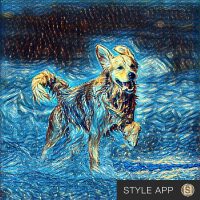
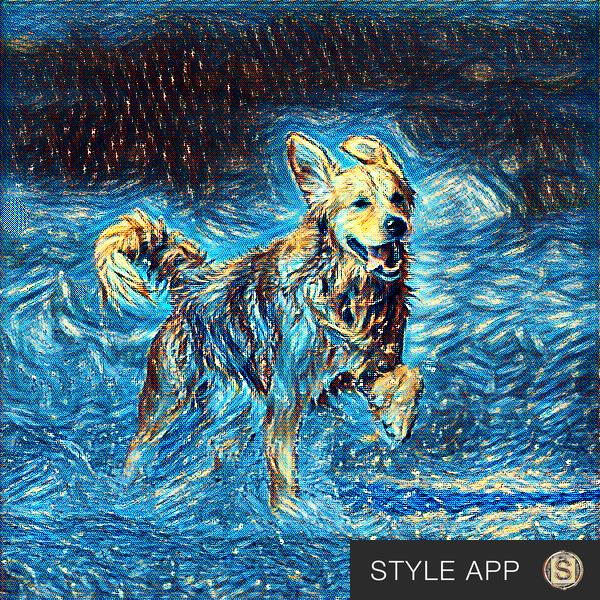
Style is a software application designed to transform standard photographs and video footage into artistic compositions using artificial intelligence. Unlike traditional filters that apply a static overlay, this tool identifies distinct features within the source media and reinterprets them based on selected stylistic models. This process allows the software to maintain image detail while merging it with the characteristics of a chosen artwork.
The application offers several functional capabilities for digital creators and casual users alike:
- Model Chaining: Users can utilize the output of one stylization as the input for another. This iterative process allows for the creation of layered, complex visuals through multiple passes.
- Rapid Processing: The AI is optimized to produce stylized media in seconds, preserving the integrity of the original media while applying significant visual changes.
- Asset Creation: Beyond simple photo editing, the software acts as a tool for generating original graphic content, such as icons and templates, by processing basic designs through various AI models to create unique results.
The software includes a library of models suited for different workflows. Some models are intended for immediate, single-pass results, while others serve as intermediary steps in a larger creative chain. Style provides a platform for automating the production of stylized visual content for social media, digital art, and professional graphic design.
Top 5 Reasons To Download Style for Windows and Mac
If you have been looking for a way to breathe new life into your digital media, look no further. This application represents a significant leap forward in how we process visual information. Here are the top five reasons why you need to download this giveaway today:
- True Artificial Intelligence Transformation: Unlike standard filters that simply overlay colors, this app uses neural networks to understand and rebuild your images.
- High-Fidelity Detail Preservation: It stylizes your media without sacrificing the intricate details that make your photos and videos recognizable and sharp.
- Infinite Creative Chaining: The unique ability to use the output of one process as the input for another allows for endless artistic experimentation.
- Seamless Video Processing: It doesn’t just stop at photos; the app can transform entire video files into moving works of art with consistent aesthetic application.
- Professional Content Creation Utility: From designing app icons to generating social media assets, this tool serves as a legitimate workstation for modern creators.
1. True Artificial Intelligence Transformation
In the modern digital landscape, we are constantly bombarded with "filters." We see them on every social media platform, and most of them function the same way: they apply a static color grade or a texture overlay on top of your existing image. While this can look nice, it is fundamentally a surface-level change. What sets Style apart—and the primary reason you need to jump on this giveaway—is its core reliance on sophisticated artificial intelligence. This is not a filter; it is a fundamental reimagining of your media.
When you feed an image or a video into the application, the AI doesn't just look at the pixels as a grid of colors. Instead, the neural models are trained to recognize features. It understands the difference between the curve of a human face, the sharp lines of an architectural structure, and the soft textures of a landscape. Because the app "understands" what it is looking at, the transformation process is much more organic. It takes the artistic DNA of a selected style—whether that be a classical painting technique or a modern abstract aesthetic—and weaves it into the structural DNA of your photo.
This intelligent recognition means that the output feels intentional. Every brushstroke or geometric shift applied by the AI is placed with purpose, mimicking the way a human artist would interpret a scene. For tech enthusiasts and digital artists, this represents a massive shift from "editing" to "generative creation." You are partnering with an intelligent engine to produce something that simply wasn't possible with traditional photo editing software just a few years ago. By downloading this giveaway, you are putting a powerful neural engine directly onto your local machine, giving you the power to create complex art in seconds.
2. High-Fidelity Detail Preservation
One of the biggest complaints users have with AI-driven art tools is the loss of detail. Many "style transfer" applications tend to turn images into a muddy mess where the original subject is lost under a heap of artistic noise. This application solves that problem with a focus on high-fidelity detail preservation. The developers have optimized the models to ensure that while the style changes, the essence of the image remains intact.
This is particularly important for those of us who want to stylize selfies, family portraits, or travel photography. You want your photo to look like a masterpiece, but you still want to be able to tell who is in the picture. This software manages to walk the fine line between abstraction and realism. It intelligently retains the edges and contours that define your subject, ensuring that the final result is a crisp, high-quality piece of media rather than a blurred approximation. This makes it an invaluable tool for photographers who want to offer something unique to their clients or for hobbyists who want their social media feeds to stand out with professional-grade clarity.
Furthermore, the speed at which this happens is impressive. Typically, high-resolution AI processing requires massive server farms or hours of rendering time. However, this app is optimized for performance, allowing you to turn regular media into amazing works of art in mere seconds. The efficiency of the code means you can iterate quickly, trying out different models until you find the perfect balance of detail and stylization. In a world where our attention spans are short and our need for content is high, having a tool that delivers high-quality results instantly is a game-changer.
3. Infinite Creative Chaining
For the power users and the truly creative minds, the "chaining" feature of this application is perhaps its most exciting aspect. The app allows you to take the output of a stylized image and immediately use it as the input for a new transformation. This creates a recursive workflow that can produce infinitely varied work. This isn't just a linear process; it's a multi-dimensional creative playground.
Imagine taking a standard photo of a city street. You run it through a "Sketch" model to get a pencil-drawn look. Then, instead of stopping there, you take that pencil sketch and run it through a "Cubist" model. The result is a complex, layered piece of art that carries the characteristics of both processes. You can chain models together five, ten, or twenty times to create something entirely original that looks nothing like the starting image. This ability to use certain models as "intermediary steps" is a professional-level feature that encourages experimentation.
This workflow transforms the user from a passive consumer of filters into a sophisticated digital curator. You are building your own unique "artistic recipe." Because the AI reacts differently to every input, the combinations are literally endless. You could give the same photo to ten different people using this app, and they would all come back with vastly different results based on how they chose to chain the models. This giveaway provides you with the building blocks, but the "chaining" system gives you the freedom to build a digital skyscraper of your own design. It’s a level of creative agency that is rarely found in consumer-level applications.
4. Seamless Video Processing
While many apps can handle photos, the ability to process full-motion video with this level of AI sophistication is a standout feature that makes this giveaway a "must-download." Transforming a static image is one thing, but applying a neural style across thousands of frames while maintaining temporal consistency is a much more difficult feat. This application handles it with grace, allowing you to turn mundane video clips into cinematic, stylized experiences.
The implications for content creators, YouTubers, and amateur filmmakers are huge. You can take a simple vlog or a drone shot and transform it into an animated painting or a futuristic neon dreamscape. Because the AI recognizes features across the frames, the style remains consistent as the camera moves or the subject shifts. This prevents the "flickering" effect that often plagues lower-quality video stylization tools. You are left with a smooth, artistic video that looks like it was painstakingly hand-animated by a team of professionals.
In the current social media climate, video is king. Whether you are posting on TikTok, Instagram Reels, or YouTube Shorts, you need a way to grab the viewer's attention in the first three seconds. A video processed through this application is an immediate thumb-stopper. It looks different than everything else on the feed because it isn't using the same tired presets that everyone else has access to. By downloading this tool, you are gaining a powerful post-production suite that can turn your smartphone videos into high-concept art pieces, all with a few clicks of a button.
5. Professional Content Creation Utility
Finally, it is important to recognize that this application is more than just an "entertainment" app—it is a legitimate graphic design tool. The developers even used the app itself to create its own icon. They started with a plain template, ran it through several models in the app, and arrived at the final professional-grade graphic. This is a testament to the software’s utility in a professional workflow.
If you are a graphic designer, a web developer, or a small business owner, you are constantly in need of original visual assets. Stock photos are expensive and often look generic. With this app, you can take your own basic photos or simple templates and transform them into unique icons, background textures, or hero images for websites. It allows you to create a cohesive visual brand without needing to be a master illustrator. The AI does the heavy lifting, allowing you to focus on the composition and the creative direction.
Whether you are using it as an aid to create graphic art or simply to stylize your selfies for a more "artsy" social media presence, the app is bound to be both entertaining and useful. It bridges the gap between complex professional software and user-friendly mobile apps. You get the power of high-end AI processing with a streamlined interface that makes the creative process fun. This giveaway is an opportunity to add a unique, high-value tool to your digital toolkit that will serve you for years to come, whether you are creating for work or for play.
In conclusion, this is not just another app to clutter your hard drive. It is a portal into the future of digital expression. By combining the power of neural networks with a user-friendly "chaining" workflow and high-fidelity video support, it offers a level of creative freedom that is currently unmatched in the giveaway space. Do not miss your chance to download this tool and start transforming your world into a work of art. The transition from a regular photo to a masterpiece is only a click away, and the only limit is your own imagination.

Reviews for Style for Windows and Mac
Click Here to Read Reviews for Style for Windows and Mac >> Click Here to Submit Reviews for Style for Windows and Mac >>