What Does Ashampoo Burning Studio 2024 Do?
Ashampoo Burning Studio 2024 provides a streamlined solution for writing data, video, and audio to CD, DVD, and Blu-ray media. The software supports specialized formats such as BDXL and M-Disc, catering to high-capacity storage and long-term archiving needs. Beyond simple data burning, the application manages media ripping by automatically identifying track names and generating playlists. Users can finalize discs to ensure full compatibility with legacy retail players and automotive audio systems.
For large datasets, the software includes a disc-spanning feature that automatically distributes files across multiple volumes when they exceed a single disc's capacity. Frequent disc image users will find integrated support for ISO and CUE/BIN formats, including an image preview tool for browsing contents before burning. The backup module facilitates manual file transfers to optical discs, external hard drives, and mobile devices via a 1-click interface compatible with cellphones and tablets.
The 2024 edition is fully optimized for Windows 11 and introduces an interactive cover search for designing custom inlays and packaging. To mitigate the risk of physical wear, the program employs scratch protection technology, which helps ensure data retrieval even from discs with significant surface damage. This suite offers a factual, utility-focused toolkit for managing physical media and local backups within a unified interface.
Top 5 Reasons To Download Ashampoo Burning Studio 2024
- Ultimate Versatility Across All Media Types: Whether you are working with CDs, DVDs, or high-capacity Blu-rays like BDXL and M-Disc, this software handles every format with professional precision.
- Professional Audio Ripping and Automated Cover Design: It does more than just copy files; it intelligently extracts audio, identifies tracks, generates playlists, and helps you design stunning physical covers.
- Advanced Data Reliability and Scratch Protection: With the innovative scratch protection feature and support for archival-grade M-Discs, your data remains accessible even if the disc surface gets damaged.
- Efficient Smart Disc Spanning and Mobile Backups: You can effortlessly back up massive file collections across multiple discs or use the 1-Click Backup feature to secure data from your smartphones and tablets.
- Modern Compatibility and Power-User Tools: Fully optimized for Windows 11, the software includes expert-level tools for ISO and CUE/BIN images, featuring integrated previews and an interactive cover search.
1. Ultimate Versatility Across All Media Types
In an era where we are constantly told that the "cloud" is the only solution for our data, seasoned tech enthusiasts know better. There is an inherent risk in relying solely on remote servers that require a subscription and an active internet connection. This is where Ashampoo Burning Studio 2024 steps in as a powerhouse of local data management. It isn't just a simple "burning" tool; it is a comprehensive suite designed to interface with every type of optical media imaginable.
One of the most impressive aspects of this software is its broad hardware support. While most basic tools stop at standard DVDs, this program goes much further, offering full compatibility with Blu-ray discs and specialized high-capacity media like BDXL. If you are dealing with massive video projects or architectural archives, the ability to write to 100GB or 128GB BDXL discs is a game-changer. Furthermore, it supports M-Disc technology. For those unfamiliar, M-Disc is the gold standard for archival storage, designed to last for up to 1,000 years. By using Ashampoo Burning Studio 2024, you are essentially future-proofing your most important memories, ensuring that your photos and documents outlast any hard drive or flash stick.
The software handles movies, music, and raw data with equal efficiency. You aren't just dumping files onto a plastic circle; you are creating structured, high-quality media. Whether you need to burn a high-definition video project for a client or create a simple data backup of your tax returns, the process is streamlined and reliable. In the world of tech, reliability is the most valuable currency, and this software delivers it in spades.
2. Professional Audio Ripping and Automated Cover Design
If you are a music lover with a collection of physical CDs, you know the struggle of trying to digitize them manually. Most software makes you jump through hoops just to get the song titles right. Ashampoo Burning Studio 2024 turns this tedious chore into a seamless, automated experience. When you rip a CD, the software doesn't just pull the raw audio; it auto-detects track names and metadata, ensuring your library is organized from the moment the disc stops spinning.
But it doesn't stop at ripping. This program is a dream for those who still appreciate the tactile experience of a physical music collection. It allows you to turn your custom audio files back into high-quality audio discs, complete with individually designed covers and inlays. The built-in interactive cover search makes finding the right artwork easier than ever, allowing you to create a professional-looking product that looks like it came straight from a retail store. This is perfect for creating personalized gifts, "mix tapes" for the car, or just keeping your home library looking sharp.
Speaking of the car, many of us still drive vehicles that rely on traditional CD players or older car radios. These devices can be notoriously picky about the format of the discs they play. Ashampoo solves this by offering a finalization feature. By finalizing the disc, the software ensures maximum compatibility, making your custom burns playable on older retail players that would otherwise reject a "data" disc. It even auto-generates playlists during the ripping process, so your music always plays in the exact order you intended. It is this level of attention to detail that sets this software apart from free, stripped-down alternatives.
3. Advanced Data Reliability and Scratch Protection
We have all been there: you go to pull an old disc out of its case, only to find it covered in light scratches. With traditional burning software, those scratches often mean the data is lost forever. However, Ashampoo Burning Studio 2024 includes a revolutionary scratch protection feature. This technology works by spreading multiple copies of your data across the disc and including a specialized emergency retrieval tool. Even if the surface of the disc becomes significantly damaged, the software can often piece the information back together, saving your files from the scrap heap.
This focus on data integrity is a recurring theme throughout the application. When you are backing up your life's work or a decade's worth of family photos, "good enough" isn't good enough. You need the peace of mind that comes with knowing the software is verifying every bit and byte written to the disc. This program uses advanced verification algorithms to ensure that the burn process was successful, leaving no room for errors or corrupted files.
Moreover, for those who take their security seriously, the software offers powerful backup functionality. You aren't limited to just optical discs; you can back up your files to flash drives or external hard drives with the same ease. This flexibility makes it a central hub for all your local backup needs. When you combine the scratch protection for physical discs with the ability to create redundant backups on other hardware, you have a security net that is virtually impenetrable by digital rot or hardware failure.
4. Efficient Smart Disc Spanning and Mobile Backups
One of the biggest headaches of the digital age is the "Digital Hoarder" problem. We have so many photos, videos, and documents that they often exceed the capacity of a single disc. In the past, you would have to manually sort these files into folders, trying to do the math to see if they would fit on a 4.7GB DVD or a 25GB Blu-ray. Ashampoo Burning Studio 2024 eliminates this frustration entirely with its built-in disc spanning feature.
Disc spanning is essentially "set it and forget it" technology. You select the massive folder of data you want to save, and the software automatically calculates how many discs are needed. It then guides you through the process, prompting you to insert the next disc as it fills up. It spreads the data across multiple volumes seamlessly, ensuring that not a single megabyte of space is wasted. This is the most efficient way to archive an entire collection of songs or an entire year’s worth of photography projects without the manual labor of file management.
Furthermore, the 2024 version understands that our lives are increasingly lived on our mobile devices. The 1-Click Backup feature is a standout addition that allows you to back up data from cellphones and compatible tablets directly to your computer or disc. Instead of wrestling with complicated cloud sync settings or proprietary mobile software that tries to lock you into an ecosystem, you can simply plug in your device and secure your data with one click. It is a modern solution for a modern problem, bridging the gap between mobile convenience and the security of local, physical storage.
5. Modern Compatibility and Power-User Tools
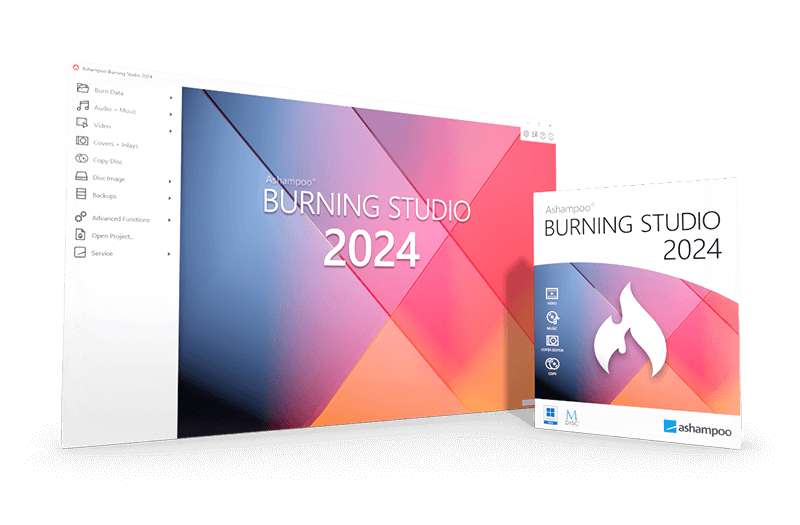
A piece of software is only as good as its interface and its ability to run on modern systems. Ashampoo Burning Studio 2024 has been rebuilt to be fully Windows 11 compatible, featuring a sleek, responsive design that feels at home on the latest hardware. It utilizes the modern design language of the latest OS, ensuring that menus are easy to navigate and buttons are where you expect them to be. But don't let the user-friendly interface fool you—under the hood, this is a tool for power users.
For those who frequently work with disc images, this software is an absolute essential. It offers excellent support for ISO and CUE/BIN formats. Whether you are creating an image of a disc for virtual mounting or burning an existing ISO to a physical disc, the process is incredibly smooth. One of my favorite features is the integrated image preview. This allows you to browse the contents of a disc image (like an ISO) without having to mount it or burn it first. It saves an immense amount of time, especially when you are looking for one specific file buried inside a large archive.
Finally, the interactive cover search in the 2024 version is more than just a cosmetic upgrade. It makes the workflow of creating professional media much faster. Instead of searching the web, downloading an image, and manually resizing it, the software does the heavy lifting for you. This commitment to reducing "friction" in the user experience is exactly why a tech reviewer like myself recommends this tool. It takes complex tasks—like disc spanning, audio ripping, and image management—and makes them accessible to everyone without sacrificing the deep functionality that experts demand. This isn't just a giveaway; it is a professional-grade upgrade for your digital toolkit.
In conclusion, Ashampoo Burning Studio 2024 is much more than a legacy tool. It is a vital utility for anyone who values their data, loves their music, and wants a reliable way to manage their digital life outside of the cloud. With its combination of archival-grade security, mobile integration, and ease of use, it is a must-download. Don't miss out on the chance to add this versatile, powerful, and incredibly reliable software to your collection. Whether you are backing up your most precious memories or creating a custom soundtrack for your next road trip, Ashampoo makes the process faster, better, and more secure.

Reviews for Ashampoo Burning Studio 2024
Click Here to Read Reviews for Ashampoo Burning Studio 2024 >> Click Here to Submit Reviews for Ashampoo Burning Studio 2024 >>