What Does CoolNew PDF PRO 9 Do?
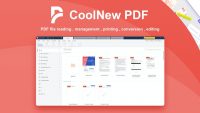
CoolNew PDF is a comprehensive desktop application designed for offline document management. It provides a suite of tools for users to modify, convert, and organize PDF files without requiring an active internet connection. The software focuses on local processing, offering a streamlined alternative to web-based editors for handling sensitive documentation.
The application includes several functional categories to improve document workflows:
- Conversion: Users can transform files between PDF and various formats, including Microsoft Office documents, CAD drawings, images, and plain text. The software also handles the conversion of scanned copies.
- Editing: The built-in editor allows for direct manipulation of PDF content. Users can edit text and images, add page numbers, insert watermarks, and adjust paragraph layouts.
- Organization: The utility features tools to merge multiple files into a single document or split a large PDF into smaller parts. Users can also extract specific content and optimize files for better accessibility.
- Compression and Security: Integrated features allow for file size reduction through compression and the application of security protocols to protect document integrity.
By centralizing these features into a single offline interface, the software aims to increase productivity for users who require a versatile tool for document manipulation, file size optimization, and format standardizing.
Top 5 Reasons To Download CoolNew PDF PRO 9
- Complete Privacy and Offline Security: Unlike web-based tools, this software works entirely on your desktop, ensuring your sensitive data never leaves your computer.
- A Professional-Grade Editing Suite: Gain the power to edit text, images, and paragraphs directly within your PDFs, including unique features like the eraser tool and custom watermarking.
- High-Fidelity Conversion for Complex Files: Seamlessly convert between PDF and Office formats, images, and even specialized CAD drawings with incredible accuracy.
- Advanced Document Optimization: Effortlessly merge, split, and compress files to manage large document sets and meet strict email attachment limits without losing quality.
- Enhanced Productivity and Workflow: A streamlined, all-in-one interface that eliminates the need for multiple apps, allowing you to work smarter and faster.
If you have ever spent an afternoon wrestling with a PDF document, you know the specific kind of frustration I am talking about. We have all been there: you need to change one tiny typo, or perhaps you need to merge three different reports into one cohesive file, but your computer treats the PDF like a stone tablet. For years, the market has been dominated by a few massive players who charge exorbitant monthly fees, or by shady "free" online converters that make you wonder exactly where your private data is being stored. Today, I am here to tell you that the struggle is over. This giveaway for CoolNew PDF is the game-changer you have been waiting for. As a tech reviewer, I see hundreds of apps, but it is rare to find a tool that balances power, simplicity, and security this effectively. Here is the deep dive into why you need to download this software right now.
1. Complete Privacy and Offline Security
In our modern, hyper-connected world, we have been conditioned to upload everything to the cloud. Need to convert a PDF? Just upload it to a website! But have you ever stopped to think about what happens to that document once it hits a third-party server? If you are handling bank statements, legal contracts, or proprietary business designs, "the cloud" is often just someone else's computer. This is the first and most compelling reason to grab this giveaway: CoolNew PDF is a desktop-first solution.
By moving your PDF management offline, you are taking a stand for your own digital sovereignty. When you use this software, your documents never leave your local hard drive. There is no risk of a server breach leaking your sensitive information, and no concern about a company selling your data to advertisers. This offline capability also means you are no longer at the mercy of your internet connection. Whether you are on a plane, in a remote cabin, or dealing with a spotty office Wi-Fi connection, you have full access to your entire suite of PDF tools. For the professional who handles sensitive client data, this level of security isn't just a "nice-to-have" feature; it is an absolute necessity. You get the peace of mind that comes with knowing your "eyes only" documents stay that way.
Furthermore, the security features extend to the files themselves. The software allows you to secure your PDF files with just a few clicks. This means you can encrypt your documents and set password protections directly from your desktop. In an era where data breaches are the norm, having a localized, secure environment for your most important documents is the smartest move you can make.
2. A Professional-Grade Editing Suite
Most people think of PDFs as static images—things you can look at but cannot touch. CoolNew PDF shatters that illusion. The editing features included in this software are remarkably robust and surprisingly intuitive. I have tested many "PDF editors" that only let you slap a text box on top of the existing content, which looks amateurish and messy. This software, however, allows for true editing.
You can jump into a document and modify the existing text, change the images, and even adjust the paragraph layout. One of my favorite features is the "Eraser" tool. It sounds simple, but being able to cleanly remove elements from a PDF without leaving a trace is a lifesaver when you are working with legacy documents that don't have an original source file. You can also add page numbers, resize pages, and insert watermarks to maintain your professional branding.
Imagine you have a 50-page manual and you realize the company logo is outdated. Instead of starting from scratch in a design program, you can simply use this software to swap the images and update the text in minutes. It turns a PDF from a "final version" into a living document. The software’s interface is designed to be "powerful yet easy," which is a difficult balance to strike. You don’t need a degree in graphic design to navigate the toolbar; everything is laid out logically, allowing you to "awesomize" your documents with minimal effort. This is about giving you the same power as the industry giants, but without the steep learning curve or the soul-crushing subscription costs.
3. High-Fidelity Conversion for Every File Type
We live in a multi-format world. You might start a project in Word, get some data in Excel, receive a blueprint in a CAD format, and need to turn all of it into a polished PDF for a client. Or, more commonly, you receive a PDF and desperately need it back in an editable Office format. The conversion engine in CoolNew PDF is one of the most versatile I have seen in a desktop application.
The standout feature here is the support for CAD conversions. For architects, engineers, and designers, converting CAD files to PDF (and vice versa) can be a nightmare of broken lines and missing layers. This software handles those complex conversions with ease, maintaining the integrity of the original design. Beyond that, it covers all the essentials: Office documents (Word, Excel, PowerPoint), various image formats, and even texted and scanned copies.
Speaking of scanned copies, the ability to handle scanned PDF conversions is a massive productivity boost. We have all received those "PDFs" that are actually just photos of a piece of paper. This software helps you bridge the gap between a static image and a searchable, editable document. It effectively turns your computer into a high-powered document processing center. Whether you are converting a batch of images into a single PDF portfolio or turning a complex spreadsheet into a professional report, the fidelity of the conversion ensures that your formatting remains intact. No more spending hours fixing broken tables or re-aligning margins after a conversion gone wrong.
4. Advanced Document Optimization
Have you ever tried to email a PDF only to have it bounce back because the file was too large? Or have you ever needed to send just three pages out of a 200-page document? Managing the physical "size" and "structure" of your PDFs is just as important as editing their content. This is where the optimization tools of CoolNew PDF really shine.
The software offers dedicated tools to merge and split PDFs with surgical precision. You can take multiple different documents—perhaps a cover letter, a resume, and a portfolio—and merge them into one professional file in seconds. Conversely, if you have a massive report but only need to share the executive summary, you can split the file or extract specific pages with a few clicks.
But the real hero here is the compression tool. High-quality PDFs, especially those with many images or CAD drawings, can become massive. The compression engine in this software is designed to shrink your file sizes while maintaining maximum visual quality. It allows you to "optimize" your PDFs for different use cases, whether you need a high-res version for printing or a lightweight version for quick emailing. This level of control over your document’s footprint is essential for anyone who works in a professional environment where efficiency and presentation go hand-in-hand. By optimizing your files, you aren't just saving disk space; you are making it easier for your clients and colleagues to access and view your work.
5. Unbeatable Productivity and User Experience
Ultimately, the reason we use software is to save time. If a tool is too complicated to use, it doesn't matter how many features it has. CoolNew PDF has clearly been built with the end-user's workflow in mind. The "all-in-one" experience means you aren't jumping between your browser, your image editor, and your word processor just to finish a single task. Everything you need to be more productive and work smarter is housed under one roof.
The "just a few clicks" philosophy is evident throughout the app. Whether you are securing a file, adding a watermark, or converting a batch of images, the process is streamlined to minimize friction. In my time as a reviewer, I have found that the best tools are the ones that disappear into your workflow—they just work when you need them to, without requiring a 100-page manual.
The value proposition here is simple: you are getting a pro-level desktop suite that solves every common PDF problem. In a world where we are increasingly burdened by "subscription fatigue," having a reliable, all-in-one desktop solution that you can own and use offline is a breath of fresh air. It’s an affordable solution to all your PDF problems, packaged in a way that makes your daily tasks feel less like a chore and more like a streamlined process. When you download this giveaway, you aren't just getting another app; you are gaining a powerful ally in your quest for digital organization and professional excellence.
Final Thoughts: We deal with PDFs every single day. They are the backbone of digital documentation. Why continue to struggle with limited viewers or risky online tools? This giveaway offers you a chance to upgrade your toolkit with a robust, secure, and incredibly versatile piece of software. From the powerful editing capabilities to the specialized CAD conversion and the peace of mind that comes with offline processing, CoolNew PDF is a must-have for anyone looking to take control of their documents. Don't wait until you're struggling with a file five minutes before a deadline—download it now and be prepared for whatever document challenges come your way. You will wonder how you ever managed without it.


Reviews for CoolNew PDF PRO 9
Click Here to Read Reviews for CoolNew PDF PRO 9 >> Click Here to Submit Reviews for CoolNew PDF PRO 9 >>