What Does Luminar 4 Do?
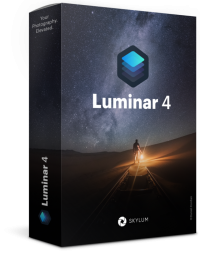
Luminar 4 by Skylum is an AI-driven photo editing and management application built for a non-destructive workflow. The software leverages machine learning to automate complex editing tasks, such as AI Sky Replacement, which swaps backgrounds while automatically relighting foreground subjects to maintain visual consistency. It functions both as a standalone application and as a plug-in for industry standards like Adobe Photoshop, Lightroom Classic, and Apple Photos.
The suite includes a variety of content-aware tools designed for efficiency. AI Skin Enhancer and Portrait Enhancer allow users to retouch subjects using human-aware technology, eliminating the need for manual masking or selections. For structural adjustments, AI Structure identifies specific regions in an image requiring enhanced detail without over-sharpening the entire frame. Users can also utilize Accent AI to apply dozens of adjustments simultaneously via a single slider.
For organization, the Luminar Library Panel enables viewing, rating, and labeling images across various view modes. Advanced features include Smart Contrast, Landscape Enhancer tools, and over 70 "Looks" for one-click transformations. The software supports raw file processing and batch editing, allowing adjustments to be synced across entire sets of photos for a cohesive aesthetic. Additional tools like lens correction, transform controls, and a history panel provide comprehensive control over the final output.
Top 5 Reasons To Download Luminar 4
- Revolutionary AI Sky Replacement: Instantly transform the mood of any photo by swapping dull skies with breathtaking vistas, all while the software automatically relights your foreground to match.
- Next-Generation Portrait Tools: Use "human-aware" technology to retouch skin, enhance eyes, and perfect facial features with simple sliders instead of tedious manual masking.
- Content-Aware AI Structure and Accent AI: Boost detail and clarity exactly where it is needed without over-processing your image or creating artifacts in smooth areas like the sky or skin.
- Professional-Grade Non-Destructive Workflow: Manage, rate, and batch-process your entire library with a system that preserves your original files while allowing for infinite creative revisions.
- Ultimate Flexibility as a Standalone or Plugin: Whether you want a dedicated photo manager or a powerful addition to Adobe Photoshop and Lightroom, this software fits perfectly into any creative ecosystem.
The Dawn of Intelligent Photo Editing
In the world of digital photography, we have reached a fascinating crossroads. For decades, the barrier between a "good" photo and a "breathtaking" one wasn't just the quality of the camera or the skill of the photographer—it was the grueling hours spent in post-processing. We have all been there: hunched over a monitor, squinting at pixels, trying to mask out a complex treeline just to fix a blown-out sky, or spending forty minutes trying to heal skin blemishes without making the subject look like a plastic mannequin. The giveaway we are looking at today, Luminar 4, represents a paradigm shift in how we approach these challenges. It isn't just another photo editor; it is a sophisticated AI-driven engine designed to give you back your time while elevating your art.
As a tech reviewer who has seen hundreds of applications claim to "revolutionize" workflows, I don't say this lightly: Luminar 4 is a game-changer. By leveraging advanced machine learning, it takes tasks that used to require a degree in graphic design and turns them into intuitive, slider-based adjustments. But don't let the simplicity fool you. Under the hood, this software is performing complex mathematical calculations and image analysis that would have been impossible just a few years ago. If you have been looking for a reason to step up your photography game without drowning in technical manuals, this is the giveaway you have been waiting for. Let’s dive deep into the five core reasons why you need to download this software right now.
1. Revolutionary AI Sky Replacement
We have all had that heartbreaking experience where we find the perfect composition, the lighting on the ground is beautiful, but the sky is a flat, featureless grey or a blown-out white mess. In the past, "fixing" this meant hours of meticulous masking, trying to trace every leaf on a tree or every wire on a bridge to composite in a new sky. Luminar 4 changes the rules of the game with its AI Sky Replacement tool. This is the flagship feature for a reason—it is nothing short of magic.
The software uses intelligent algorithms to automatically detect the horizon line and distinguish between the foreground and the sky, even in complex images with overlapping elements. But what truly sets it apart is the automated relighting technology. Most manual sky swaps look fake because the lighting on the ground doesn't match the new sky. Luminar 4 analyzes the colors and light levels of your chosen sky and applies those characteristics to the rest of your photo. If you swap a midday sun for a dramatic sunset, the software will cast a warm, golden glow over your foreground subjects to ensure harmony. It creates a realistic, dynamic appearance that looks like you were actually there at the perfect moment. This tool alone justifies the download, as it turns "missed opportunities" into portfolio-worthy masterpieces in seconds.
2. Next-Generation Portrait Tools
Portrait photography is perhaps the most demanding genre when it comes to editing. You want your subjects to look their best, but you also want them to look human. Traditional retouching requires a heavy hand with frequency separation, cloning, and dodging and burning. Luminar 4 introduces AI Skin Enhancer and Portrait Enhancer, which utilize human-aware technology to streamline this entire process. Instead of hunting for individual pores or imperfections, the AI identifies the human face and skin automatically.
With the AI Skin Enhancer, you can smooth skin and remove blemishes while retaining the natural texture of the skin. It avoids that "blurred" look that ruins so many amateur edits. Moving into the Portrait Enhancer, you gain access to a suite of tools that would normally take dozens of layers to achieve. You can brighten eyes, remove dark circles, redden lips, and even whiten teeth with simple, intuitive sliders. There is no need for complex selections or masking. The software knows where the eyes are; it knows where the mouth is. This level of automation allows you to focus on the aesthetic of the portrait rather than the mechanics of the software. Whether you are a professional wedding photographer or someone who just wants better photos of their family, these tools are an absolute revelation.
3. Content-Aware AI Structure and Accent AI
One of the biggest mistakes in photo editing is "over-processing." We’ve all seen photos where the "clarity" slider was pushed too far, resulting in halos around buildings and crunchy, ugly skin textures. Luminar 4 solves this with AI Structure. This is a content-aware tool that is smart enough to know the difference between a stone wall and a human face. When you increase the structure, the AI identifies areas that should have more detail—like architectural elements, rocks, or fabric—and boosts them, while leaving smooth areas like the sky or a person's skin untouched. This ensures that your images look sharp and detailed without looking "digital" or "processed."
Complementing this is the Accent AI tool. Think of this as the ultimate "make it better" slider. It analyzes your image and applies dozens of adjustments simultaneously—fixing shadows, highlights, contrast, and saturation all at once. Because it is human-aware, it treats people in the frame differently than it treats a landscape, ensuring that skin tones remain natural even as the landscape behind them becomes more vibrant. For those moments when you need a quick edit that looks professional, Accent AI is your secret weapon. It provides a level of sophistication that goes far beyond a simple "auto-enhance" button, giving you a refined, balanced look with a single mouse movement.
4. Professional-Grade Non-Destructive Workflow
A great photo editor is only as good as its organization and its respect for the original file. Luminar 4 provides a fully non-destructive workflow. This means every edit you make, every filter you apply, and every sky you swap is stored as a set of instructions rather than a permanent change to your pixels. You can always go back and tweak a setting, even days later, or revert to the original image with a single click. This gives you the freedom to experiment without fear of "breaking" your photo.
Furthermore, the Luminar Library Panel is a powerhouse for organization. You can view, sort, rate, and label your images with stars and colors, making it easy to find your best work. The software supports Gallery View, Filmstrip View, and Single Image View to suit your personal preference. One of the most significant time-savers is the ability to sync adjustments. If you have fifty photos taken in the same lighting conditions, you can edit one to perfection and then instantly sync those edits across the remaining forty-nine images. Combined with batch processing, this turns a weekend’s worth of editing into a twenty-minute task. The inclusion of "Smart Shortcuts" and a "Photos Trash" system further ensures that your hard drive stays as organized as your portfolio.
5. Ultimate Flexibility as a Standalone or Plugin
The final reason you need to jump on this giveaway is the sheer versatility of the software. Many photo editors force you to change your entire way of working, but Luminar 4 meets you where you are. It can function as a standalone application, serving as your primary hub for image management and editing. However, if you are already a dedicated user of Adobe Photoshop, Lightroom Classic, or Apple Photos, Luminar 4 works seamlessly as a plug-in. This means you can keep your existing organization system but "round-trip" your photos into Luminar 4 to use its powerful AI tools before returning to your primary app.
Beyond the AI, the software is packed with over 70 "Looks" (one-click presets) and more than 45 distinct photo filters. You have tools for specialized tasks like the Landscape Enhancer, which includes a Golden Hour slider to add warmth and a Foliage Enhancer to make greenery pop. There is even a Sunrays filter that allows you to add realistic, volumetric light rays that can be placed behind objects in your photo for a stunning atmospheric effect. With features like Smart Contrast, Denoise, and Lens Correction, it is a complete toolkit. Whether you are a beginner looking for one-click solutions or a pro who wants fine-grained control via the History Panel and Tone Curves, Luminar 4 adapts to your skill level and your specific needs.
Conclusion: Don't Miss Out
In the fast-moving world of tech, opportunities to grab a piece of software this powerful for free are rare. Luminar 4 isn't just an "alternative" to the big names in the industry; for many users, it is a superior choice because it prioritizes the user's time and creativity over technical complexity. It bridges the gap between the vision in your head and the final image on the screen, removing the frustrating "technical hurdles" that usually stand in the way.
We have covered a lot of ground, from the jaw-dropping AI Sky Replacement to the sophisticated Portrait Enhancer and the robust Library management. What it boils down to is this: Luminar 4 makes photo editing fun again. It removes the tedious parts of the job and lets you focus on the art. Whether you want to fix a vacation photo, create a professional portrait, or develop a unique artistic style through custom "Looks," this software gives you the tools to do it with unprecedented ease.
As a reviewer, I see a lot of software come and go, but the AI-driven approach here is the real deal. It is intuitive, it is fast, and most importantly, the results speak for themselves. This giveaway is a chance to add a professional-grade tool to your creative arsenal at no cost. Don't let your photos sit on your hard drive looking "just okay." Download this software, experiment with the AI, and see how quickly your images can go from ordinary to extraordinary. This is the boost your photography deserves.


Reviews for Luminar 4
Click Here to Read Reviews for Luminar 4 >> Click Here to Submit Reviews for Luminar 4 >>