What Does Synchredible 9 Do?
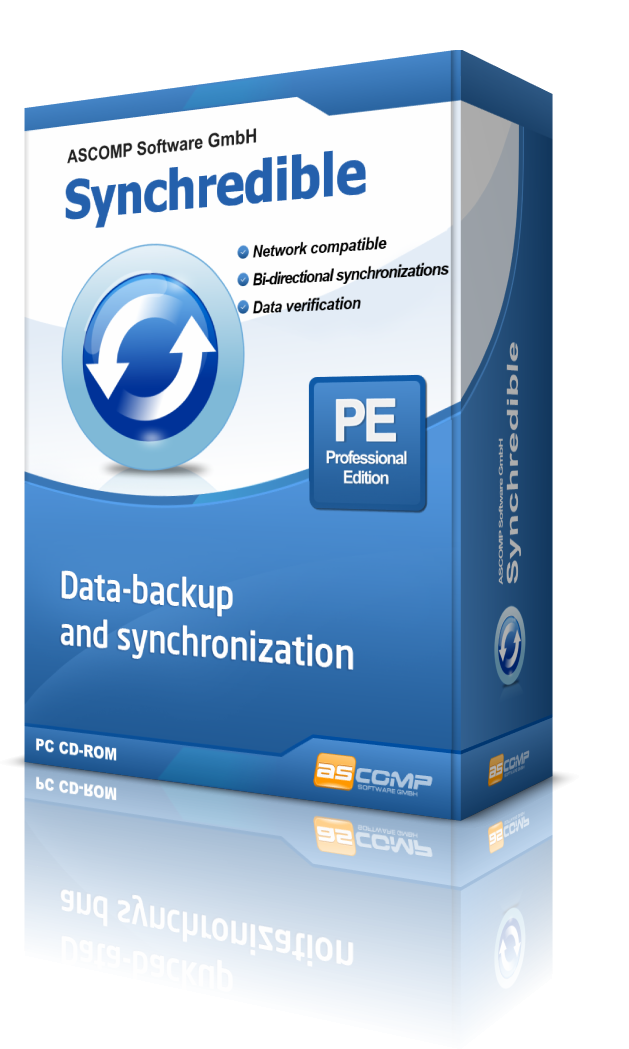
ASCOMP Synchredible is a data management tool designed to automate the synchronization and backup of folders and entire hard disks. The software facilitates the transfer of data across various storage environments, including local disks, network shares, external USB drives, and cloud storage platforms via WebDAV or integrated cloud applications.
The utility offers several automation options to maintain data integrity:
- Scheduled tasks: Sync files at specific times or defined intervals.
- System events: Trigger backups upon system login, logout, or when connecting external devices.
- Real-time monitoring: Automatically synchronize files as soon as changes are detected in the file system.
Synchredible supports both one-way copying and bidirectional synchronization. Its internal logic identifies modified files, while advanced duplicate detection allows the software to skip unchanged data. This optimization reduces the time required for processing large datasets. Users can configure the software through an intuitive assistant that defines tasks to ensure the most recent versions of files are consistently mirrored across all designated target locations. The software is engineered to function as an all-in-one solution for folder synchronization over local networks and removable media without requiring manual intervention.
Top 5 Reasons To Download Synchredible 9
- Seamless Real-Time Synchronization: Never worry about manual saves again; Synchredible monitors your files and updates changes instantly as they happen.
- Intelligent Bidirectional Processing: This isn't just a simple copy tool; it recognizes changes in both directions and skips identical files to save you massive amounts of time.
- Ultimate Storage Versatility: Whether it is a local hard drive, a network share, a USB stick, or your favorite cloud provider via WebDAV, this tool handles it all.
- Advanced Event-Driven Automation: You can set your backups to trigger exactly when you need them—like when you plug in a specific USB drive or at the end of your workday.
- Professional Power with a Simple Interface: The intuitive wizard-based setup means you get enterprise-level backup features without needing a degree in computer science.
In the digital age, your data is your life. Think about it for a second. Your family photos, your tax returns, those crucial work documents you spent weeks perfecting, and your entire library of digital assets—all of it sits on hardware that is, eventually, destined to fail. We often tell ourselves that we will get around to backing things up "this weekend" or "when I have time," but the reality is that life gets in the way. Manual file management is tedious, prone to human error, and frankly, it is a chore that most of us would rather avoid. This is where ASCOMP Synchredible enters the frame as a total game-changer. As someone who has tested dozens of synchronization tools, I can tell you that finding one that balances raw power with extreme ease of use is rare. This giveaway provides a professional-grade solution that turns the nightmare of data management into a set-it-and-forget-it dream.
Let’s dive deep into why you need to stop what you are doing and grab this software while it is available. We are going to explore the five core pillars that make Synchredible a must-have for every PC user, from the casual hobbyist to the power-user professional.
1. Seamless Real-Time Synchronization
The biggest flaw in most backup strategies is the "time gap." If you back up your files every Sunday night, but your hard drive crashes on a Friday afternoon, you have lost five days of work. In a fast-paced environment, five days of data loss can be catastrophic. Synchredible solves this through its sophisticated real-time monitoring system. Instead of waiting for a scheduled window, the software can actively watch your designated folders. The moment you save a change to a document or add a new photo to a folder, Synchredible sees it and immediately mirrors that change to your destination drive.
This level of responsiveness is what separates the amateurs from the pros. Imagine working on a complex spreadsheet or a creative design project. With real-time sync, your progress is being mirrored to a secondary location (like an external drive or a network folder) in the background, without you ever having to lift a finger or click a "copy" button. It operates silently, using minimal system resources, ensuring that your secondary copy is never more than a few seconds behind your primary file. This creates a "live" safety net that provides incredible peace of mind. You are no longer backing up "yesterday's" data; you are backing up now.
2. Intelligent Bidirectional Processing
Many basic backup tools are "one-way" streets. They take everything from Folder A and dump it into Folder B. While that is fine for basic archiving, it is inefficient and often creates confusion when you are working across multiple devices. Synchredible offers true bidirectional synchronization. This means if you change a file on your desktop, it updates on your laptop's synced folder, and if you later edit that same file on your laptop, those changes are reflected back to the desktop. It keeps both sides in a state of perfect harmony.
The "intelligence" of the software really shines through its advanced duplicate detection and comparison algorithms. When you are dealing with hundreds of gigabytes—or even terabytes—of data, you don't want to wait for the software to copy every single file every time you run a sync. Synchredible is smart enough to look at the file size, the modification date, and other metadata to determine if a file has actually changed. If the file is the same, it skips it. This "smart skipping" allows the software to process massive datasets in mere seconds rather than hours. It only moves the bits that actually need moving, which also reduces the wear and tear on your hard drives and prevents unnecessary network congestion.
3. Ultimate Storage Versatility
We live in a multi-platform world. Your data isn't just on your C: drive anymore. You likely have an external SSD for your media, a NAS (Network Attached Storage) for your home office, and a variety of cloud accounts for mobile access. One of the most frustrating things about some backup utilities is that they limit where you can send your data. Synchredible breaks down these walls by offering support for almost every storage medium imaginable. It handles local disks and internal partitions with ease, but it truly excels when you start looking at more complex setups.
Do you use a local network (LAN)? Synchredible can map to network shares effortlessly, making it perfect for small businesses or families sharing a central server. Do you rely on the cloud? While some software forces you to use their proprietary (and often expensive) cloud service, Synchredible works with what you already have. By utilizing WebDAV or syncing directly with the local folders of cloud apps like Dropbox, OneDrive, or Google Drive, it bridges the gap between your local hardware and the cloud. This means you can have a local backup on your USB drive and a remote backup in the cloud, all managed by the same tool. It gives you the flexibility to build a "3-2-1" backup strategy (3 copies of data, 2 different media, 1 offsite) with absolute simplicity.
4. Advanced Event-Driven Automation
The "Automatic" in Synchredible is more than just a marketing buzzword. While you can certainly set tasks to run at a specific time (like 2:00 AM every morning), the software offers "event-driven" triggers that are far more intuitive for the way we actually use our computers. For example, you can set a task to run the moment you plug in a specific USB flash drive. This is incredibly useful for people who carry their work between the office and home. You walk in, plug in your drive, and Synchredible automatically detects the connection and begins syncing your latest files without you even opening the program.
Furthermore, you can set triggers for system events. Perhaps you want your data to sync every time you log off or right before the system shuts down. This ensures that your very last actions of the day are safely recorded before the computer powers off. You can also set intervals, such as "sync every 30 minutes," which is a great middle-ground for those who don't need real-time monitoring but want more frequency than a daily backup. This level of customization allows the software to adapt to your workflow, rather than forcing you to adapt to the software's limitations.
5. Professional Power with a Simple Interface
Let's talk about the "fear factor." Many people avoid backup and sync software because it looks intimidating. They are afraid of accidentally deleting a file or setting up a loop that overwrites new data with old data. Synchredible’s developers clearly understood this, which is why the user interface is built around a guided assistant. When you create a new "task," the software walks you through a step-by-step wizard. It asks you: Where are the files? Where should they go? Do you want one-way or two-way sync? When should this happen?
By breaking down complex technical decisions into simple questions, it makes professional data management accessible to everyone. However, don't let the "easy" interface fool you. Under the hood, this is a heavy-duty engine. It handles file permissions, long file paths, and various bit-depth comparisons that advanced users expect. It even provides detailed reports so you can see exactly what was copied, what was skipped, and if any errors occurred. It’s the perfect combination: it is simple enough for your parents to use to save their holiday photos, but robust enough for a system administrator to use for managing office backups. This balance is incredibly hard to find, and getting it as part of a giveaway is an opportunity that shouldn't be passed up.
The Importance of the "Giveaway" Aspect
You might be wondering why you should grab this specifically during this giveaway period. The reality of software today is that we are being "subscription-ed" to death. Everything seems to require a monthly fee just to keep the lights on. This giveaway offers a chance to secure a powerful, permanent tool for your utility belt. ASCOMP has been a trusted name in the industry for years, and Synchredible is one of their flagship products. It has been refined through years of user feedback, meaning you are getting a polished, stable, and highly optimized piece of software. When you download this, you aren't just getting a "freebie"; you are getting an investment in your digital security.
Real-World Scenarios Where Synchredible Saves the Day
To truly understand the value, let’s look at a few scenarios. Imagine you are a freelance photographer. You come home with a memory card full of irreplaceable wedding photos. You copy them to your PC. With Synchredible, the moment those files hit your "Current Projects" folder, they are automatically mirrored to your external backup drive and your cloud-synced folder. You now have three copies of those photos in three different locations within minutes of getting home. If your internal drive fails an hour later, the wedding isn't ruined. You are a hero because you had a system in place.
Or consider the student working on a thesis. You are jumping between the library computers, your laptop, and the home desktop. By using Synchredible to manage a USB stick or a WebDAV cloud connection, you ensure that no matter which device you sit down at, you are always working on the most recent version of your paper. No more "Final_Version_v2_REAL_FINAL.doc" confusion. The software handles the versioning and the updates, leaving you free to focus on the writing.
Conclusion: Don't Wait Until It's Too Late
We often treat data backup like insurance—something we don't think about until we desperately need it. But unlike insurance, which only helps you after the disaster, Synchredible prevents the disaster from ever happening. It turns the complex task of data synchronization into a background process that you never have to worry about again. It is fast, it is smart, it is versatile, and it is built on a foundation of proven technology.
The "Top 5 Reasons To Download Synchredible 9" are clear, but the overarching reason is simple: Peace of Mind. There is an incredible feeling of security that comes with knowing that no matter what happens to your hardware—be it a spilled coffee, a power surge, or a mechanical failure—your data is safe, synced, and ready to be restored. This is a professional tool designed for the modern world, and this giveaway is the perfect time to make it a part of your digital life. Download it, set up your first sync task, and breathe a sigh of relief. Your data deserves the best protection, and Synchredible is exactly that.
Make sure you take advantage of this offer now. Reliable, bidirectional, real-time synchronization is a luxury that becomes a necessity the moment you experience it. Once you see how much time you save and how much stress you eliminate, you will wonder how you ever managed your files without it. Get Synchredible today and keep your digital world in perfect sync.

Reviews for Synchredible 9
Click Here to Read Reviews for Synchredible 9 >> Click Here to Submit Reviews for Synchredible 9 >>