What Does PDF OCR Do?
PDF OCR provides a specialized utility for users needing to transform non-searchable, scanned PDF files into fully editable text documents. By implementing an Optical Character Recognition engine, the software bridges the gap between static image-based documents and standard word processing formats, allowing users to modify content that was previously locked.
Efficiency is a primary focus of the application. The developers highlight a high-speed processing engine that performs up to 92% faster than many competing OCR solutions. This speed is complemented by a streamlined user interface that requires only two clicks to initiate the conversion process, catering to users who prioritize rapid results and minimal technical configuration.
The software offers granular control over how documents are processed. Users have the option to perform OCR on a single page, a specific page range, or the entire file at once. Furthermore, the tool includes support for more than 10 languages, including English, German, French, Spanish, and Italian. This broad language support allows for the accurate conversion of diverse document types across different regions. By converting scans into a text-based format, the software enables standard editing, copying, and searching capabilities, effectively turning a static scan into a functional text file.
Top 5 Reasons To Download PDF OCR
- Unmatched Processing Speed: Experience an OCR engine that is 92% faster than the competition.
- Global Language Support: Accurately recognize text in over 10 languages, including German, French, and Spanish.
- Full Document Editability: Transform static, scanned images into fully interactive and editable text files.
- Ultimate Simplicity: Convert your documents with a streamlined two-click workflow.
- Granular Page Control: Save time by selecting specific pages or ranges instead of processing entire files.
We have all been there. You receive an email with an "important document" attached, only to find out it is a scanned PDF. It looks like text, it reads like text, but the moment you try to highlight a sentence to copy it into a report or click a header to make a quick correction, you realize the frustrating truth: it is just a giant, uncooperative image. In the world of modern productivity, a scanned PDF is essentially a digital paperweight. You cannot search it, you cannot edit it, and you certainly cannot extract data from it without hours of manual retyping. This is where PDF OCR enters the frame as a genuine game-changer for your digital workflow.
As a tech reviewer who has tested dozens of optical character recognition tools—ranging from bloated, expensive enterprise suites to sketchy online converters that compromise your privacy—I can tell you that finding the right balance between power and simplicity is rare. Most tools are either too slow, too inaccurate, or too difficult to navigate. However, the PDF OCR giveaway we are looking at today manages to hit the sweet spot. It is designed for the user who needs results now, without the steep learning curve or the heavy system resource drain. If you deal with physical paperwork that needs to be digitized, or if your archives are full of "dead" scanned documents, this is the one tool you need to download today. Let’s dive deep into the five primary reasons why this software deserves a permanent spot on your desktop.
1. Unmatched Processing Speed
In the tech world, time is the only currency that truly matters. When you are processing a stack of fifty invoices or a hundred-page legal brief, the last thing you want to do is stare at a progress bar that moves at the speed of a tectonic plate. One of the most staggering claims of PDF OCR is its speed. The developers have optimized the OCR engine to be 92% faster than other mainstream OCR software. While that sounds like a bold marketing claim, in practice, the difference is palpable.
Traditional OCR software often struggles with the "pre-processing" phase—the part where the software analyzes the contrast, cleans up the digital noise, and identifies the orientation of the text. This software skips the fluff and goes straight to the core of the document. By leveraging a high-performance recognition algorithm, it bypasses the overhead that slows down larger, more cumbersome PDF suites. Because it is a dedicated tool specifically for OCR, it does not have to load thousands of unnecessary plugins or features every time you want to convert a single page. This lean architecture ensures that your CPU cycles are dedicated entirely to text recognition. For the professional who handles high-volume documentation, this speed increase translates directly into recovered hours throughout the work week. Imagine finishing a task in five minutes that used to take nearly an hour; that is the kind of efficiency we are talking about here.
2. Global Language Support
We live and work in a globalized economy. It is no longer enough for a tool to simply recognize the English alphabet. If you are a student, a researcher, or a business professional, you likely encounter documents from all over the world. Many free or basic OCR tools fall apart the moment they encounter a German umlaut, a French accent, or a Spanish tilde. They often default to "best guess" characters, which results in a document riddled with typos and "gibberish" symbols that take more time to fix than if you had typed the document from scratch.
PDF OCR stands out by supporting over 10 major languages. This includes German, French, Spanish, and Italian, among others. The software’s engine is trained on the specific typographic nuances of these languages. This means it recognizes that a character is not just a "letter with a dot," but a specific linguistic marker that changes the meaning of a word. This level of accuracy is essential for maintaining the integrity of translated documents or international contracts. When you download this giveaway, you are not just getting an English text converter; you are getting a multi-lingual assistant that understands the global nature of modern data. Whether you are digitizing an old Italian manuscript or a modern French technical manual, the software ensures that the output is as linguistically accurate as the original scan.
3. Full Document Editability
The core philosophy behind PDF OCR is the transition from "locked" to "unlocked." A scanned PDF is a locked cage for data. You can see the information, but you cannot touch it. This software effectively breaks those bars. Once the OCR engine has finished its pass, it generates text that is fully editable, just like a standard .txt or Word file. This is the feature that will save your sanity when you need to make "quick changes" to an old document where the original source file has been lost to time.
Think about the common scenarios: a contract that needs a single date changed, a resume that needs an updated phone number, or a manual that needs a few sentences of clarification. Without OCR, you would have to recreate the entire document from scratch. With PDF OCR, you simply run the scan, and suddenly, you have text that you can delete, rewrite, or reformat. It converts the visual representation of a letter into a functional digital character. This capability transforms your computer from a simple viewer into a powerful workstation. It allows you to repurpose old content, quote sources with perfect accuracy via copy-paste, and reorganize data into spreadsheets without the risk of manual entry errors. It is about taking control of your data rather than being a passive observer of it.
4. Ultimate Simplicity: The Two-Click Workflow
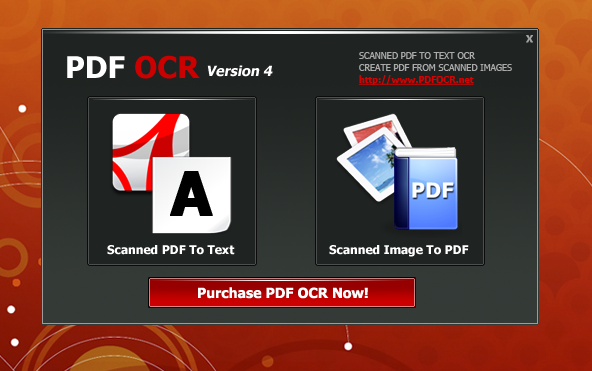
One of the biggest hurdles to adopting new software is the "interface fatigue." We have all downloaded tools that look like the cockpit of a fighter jet, with hundreds of buttons, nested menus, and confusing jargon. For most of us, we don't want to become "OCR Experts"; we just want our text. The developers of PDF OCR clearly understood this, which is why they designed the interface around a 2-click philosophy.
The process is refreshingly honest: you open your file, and you click "Start." There is no need to configure complex DPI settings, manual zoning, or thresholding unless you absolutely want to. This ease of use makes it the perfect tool for users of all technical skill levels. If you can use a mouse, you can use PDF OCR. This simplicity is particularly valuable in high-stress environments. When you are on a deadline, you do not want to spend twenty minutes reading a "Help" file to figure out how to import a document. You want a tool that stays out of your way and does exactly what it says on the tin. By stripping away the bloat, the software becomes a "utility" in the truest sense of the word—much like a digital Swiss Army knife that is always ready when you need it, and easy to put away when you don't.
5. Granular Page Control
Efficiency is not just about speed; it is about precision. Many competing OCR tools are "all or nothing." If you have a 300-page PDF book but you only need to extract a two-page recipe or a single chapter for a citation, those tools force you to process the entire file. This wastes your time, consumes your computer's memory, and leaves you with a massive text file that you then have to sift through to find the small portion you actually needed.
PDF OCR offers Page Selection capabilities that give you total control over the process. You can choose to OCR a single page, a specific range of pages (e.g., pages 15-20), or the entire document. This is a massive "quality of life" feature. It allows for a targeted approach to data extraction. If you are doing research and only need the bibliography from the end of a document, you can jump straight to those pages and ignore the rest. This not only speeds up the actual conversion process even further but also keeps your workspace clean. By focusing the software's "eyes" only on what is relevant, you ensure the highest possible accuracy and the fastest possible turnaround. It is a smart feature that shows the developers actually use their own software and understand the frustrations of the end-user.
The Verdict: Why You Should Act Now
In the digital age, being able to manipulate text is a fundamental requirement. Whether you are a student trying to organize lecture notes, a lawyer managing a mountain of discovery documents, or a home user trying to digitize a family recipe book, the need for reliable OCR is universal. The PDF OCR software provided in this giveaway is a powerhouse of utility wrapped in a deceptively simple package. It addresses the three main complaints people have with OCR: it’s too slow, it’s too hard to use, and it’s too inaccurate.
By offering a 92% speed advantage, it respects your time. By supporting multiple languages, it respects the global nature of information. By providing editable output, it respects your need to be productive. And by keeping the interface to a two-click process, it respects your patience. Most importantly, the page selection feature ensures that you are always in the driver’s seat, only processing exactly what you need.
Software giveaways like this are a rare opportunity to upgrade your digital toolkit with a professional-grade utility without the professional-grade price tag. We often don't realize how much a "scanned PDF" slows us down until we finally have the tool to fix it. Once you experience the ease of turning a static image into a searchable, editable document in seconds, you will wonder how you ever managed without it. PDF OCR is not just a converter; it is a productivity multiplier. It removes the friction between the physical page and the digital workspace, allowing your ideas to flow freely from one medium to the other.
Don’t let your data remain trapped in unsearchable, uneditable image files. Take advantage of this giveaway, download PDF OCR, and start reclaiming your time. Whether you use it once a month or twenty times a day, the value it provides is undeniable. In a world where information is power, the ability to quickly and accurately extract that information from any source is a true superpower. Make sure you grab this download before the offer expires—your future self, staring at a 50-page scanned document, will definitely thank you.
Final Thought: In the realm of utility software, the best tools are those that do one thing and do it exceptionally well. PDF OCR does not try to be an image editor, a cloud storage provider, or a social network. It is a laser-focused tool designed to solve one of the most persistent headaches in the office world: the uneditable PDF. Because of that focus, it achieves a level of performance and reliability that "all-in-one" tools simply cannot match. It is fast, it is accurate, and it is incredibly easy to use. Download it today and see the difference for yourself.

Reviews for PDF OCR
Click Here to Read Reviews for PDF OCR >> Click Here to Submit Reviews for PDF OCR >>