
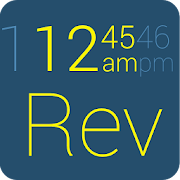
Inspiration from modern design, Lee Labs would like to bring you new Gear Fit Revolution Clock.
It has options for horizontal display and vertical display.
Revolution Clock is optimized in graphic display, contrast and readability.
How to use Gear Fit Revolution Clock and select clock face:
- Install Gear Fit Manager and connect with Gear Fit device.
- Install "Gear Fit Revolution Clock".
- Go to Gear Fit Manager → Home Screen Styler → Clock tab → Style Clocks.
- Select "Revolution Clock", tap "Settings" Button
- Now you can choose between horizontal and vertical type of Revolution clock.
SAMSUNG_CUP_ENABLED
SAMSUNG_GEAR_FIT_CLOCK
It has options for horizontal display and vertical display.
Revolution Clock is optimized in graphic display, contrast and readability.
How to use Gear Fit Revolution Clock and select clock face:
- Install Gear Fit Manager and connect with Gear Fit device.
- Install "Gear Fit Revolution Clock".
- Go to Gear Fit Manager → Home Screen Styler → Clock tab → Style Clocks.
- Select "Revolution Clock", tap "Settings" Button
- Now you can choose between horizontal and vertical type of Revolution clock.
SAMSUNG_CUP_ENABLED
SAMSUNG_GEAR_FIT_CLOCK
Reviews for Gear Fit Revolution Clock
Click Here to Read Reviews for Gear Fit Revolution Clock >> Click Here to Submit Reviews for Gear Fit Revolution Clock >>