What Does Personal Monitor 2014 Do?
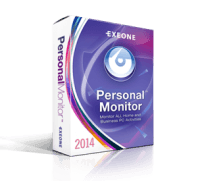
Personal Monitor is a surveillance utility designed to track operating system activity and user interactions in real time. The software operates in two distinct modes: a visible system tray interface and a silent mode that remains invisible to the user, accessible only via a configurable system-wide hotkey.
The application provides comprehensive monitoring tools, including keyboard activity recording and screen capture. It logs every keystroke and takes periodic screenshots of the active window or the entire desktop at user-defined intervals. Beyond observation, the software includes administrative features to block specific processes or URLs, preventing access to restricted sites or applications on the host machine.
Users can review historical data through an event statistics module that generates 2D and 3D charts of system usage. These records include process usage ratios and last-used timestamps. To maintain security, the entire console is password-protected, ensuring that only authorized administrators can view the logs. Recorded data can be exported in text or bitmap formats, or automatically transmitted to a remote location via FTP or email for off-site backup and storage.
Top 5 Reasons To Download Personal Monitor 2014
If you have ever felt that nagging suspicion that someone has been poking around your computer the moment you stepped away to grab a cup of coffee, you are not alone. In an era where digital privacy is often discussed in terms of big tech corporations, we frequently forget about the physical security of the device sitting right on our desks. This is exactly where Personal Monitor steps in. As a tech reviewer who has seen countless security suites and monitoring tools, I can tell you that finding a lightweight, stealthy, and comprehensive solution like this—especially as a giveaway—is a rare treat. Personal Monitor acts as your silent digital sentry, recording every interaction and ensuring that you are always the one in control of your machine. Whether you are a parent wanting to ensure your child is safe online, an employer needing to verify productivity, or simply a power user who demands total oversight of their system, this tool is an absolute essential.
Before we dive into the nitty-gritty details of how this software operates, let’s look at the highlights. Here are the top five reasons why you need to download this Personal Monitor giveaway right now:
- Total Stealth and Invisible Operation: The ability to run in a completely silent mode makes it invisible to the average user, ensuring that monitoring remains uninterrupted and undetected.
- Comprehensive Keyboard and Interaction Tracking: It goes beyond simple keylogging by filtering out deletions and providing a clean, readable log of every single stroke made on the PC.
- Visual Evidence via Screen Recording: High-quality screenshots and active window captures provide undeniable visual proof of what was happening on the screen at any given time.
- Proactive Security and Site Blocking: It is not just about watching; it is about controlling. You can blacklist specific URLs and processes to prevent unauthorized activity before it even starts.
- Remote Data Management and Statistical Insights: With FTP and Email reporting, plus 2D and 3D data visualization, you can review activity from anywhere and spot trends in usage effortlessly.
1. Total Stealth and Invisible Operation
The hallmark of any truly effective monitoring software is its ability to remain unseen. Most "security" apps sit loudly in the taskbar, practically begging to be closed or bypassed by anyone with a modicum of tech knowledge. Personal Monitor is different. One of the most compelling reasons to download this giveaway is its dual-mode operating system. You have the standard "Visible Mode," which operates from the system tray. This is great for when you are using the tool for your own productivity tracking—allowing you to right-click and access the console whenever you like.
However, the real power lies in the Silent Mode. When activated, the software completely vanishes from the system tray. It does not appear in the usual places where a casual user might look to see what is running. This makes it a "stealth tool" for your everyday work. But how do you get back in? The developers have thought of that. You can access the administration console through a configurable, system-wide hotkey combination. This means only the person who knows the secret "handshake" (the key combo) can reveal the software’s interface. This level of obfuscation is vital for anyone who needs to monitor a PC without the user being tempted to tamper with the software or change their behavior because they know they are being watched.
Furthermore, this stealth is backed by an Administration Mode. Even if someone were to somehow stumble upon the software, it is entirely password protected. You cannot change settings, view logs, or stop the monitoring process without the master password. This creates a fortified environment where your data remains your data. In the world of tech reviews, we call this "persistent oversight," and Personal Monitor executes it brilliantly.
2. Comprehensive Keyboard and Interaction Tracking
We have all heard of keyloggers, but many of them are poorly optimized, producing massive text files filled with "backspace" and "delete" entries that make the logs almost impossible to read. Personal Monitor takes keyboard activity recording to a more sophisticated level. When you download this software, you are getting a tool that doesn't just record keys; it interprets them. The software uses a specially formatted log system that filters out "odd" key strokes. This means when you go back to review what was typed, you are seeing the final intent of the user, not a messy stream of typos and corrections.
This feature is incredibly useful for a variety of scenarios. If you are a writer or a programmer, you can use this to keep a backup of your work in case a document fails to save. If you are a parent, you can see the conversations your children are having or the search terms they are using on the web. The software offers an extensive overview of the recorded data with options to manually turn on and off certain filters. This flexibility allows you to drill down into the specific information you need without wasting hours scrolling through irrelevant data.
What I find particularly impressive is the ability to monitor using a specific phrase. You can set the system to watch for certain keywords or window titles. This proactive approach to monitoring means the software is working for you, highlighting the interactions that matter most. All of this data is stored in a historic log, allowing you to go back days, weeks, or even months to see exactly what happened on a specific Tuesday at 2:00 PM. It is like having a black-box flight recorder for your computer.
3. Visual Evidence via Screen Recording
They say a picture is worth a thousand words, and in the world of PC monitoring, a screenshot is worth a thousand lines of text logs. Personal Monitor includes a built-in screen recording feature that is highly customizable, which is a standout feature in this giveaway. Rather than just telling you that a user opened a web browser, the software can show you exactly what they were looking at. This is critical for catching visual information that keyloggers might miss, such as looking at photos, watching videos, or navigating complex graphical interfaces.
One of the best parts of this feature is the configuration options. You can choose to record only the "active window"—which saves disk space and focuses on what the user is actually doing—or you can capture the "entire desktop" for a full bird’s-eye view. You can also adjust the recording intervals and the quality of the screenshots. This is a massive win for users who might be worried about the software hogging system resources or filling up their hard drive. You can set it to take a low-resolution snap every minute, or a high-quality capture every few seconds during critical tasks.
Accessing these images is just as easy as capturing them. Personal Monitor features a special view panel that allows you to browse through historic data related to a specific date. You can scroll through the day's activity as if you were watching a flipbook of the user's session. For anyone who needs to provide "proof" of activity—whether for security audits or personal record-keeping—this visual component is the "smoking gun" that makes Personal Monitor so much more effective than its competitors.
4. Proactive Security and Site Blocking
While monitoring is reactive, Personal Monitor also offers proactive tools that allow you to dictate how your PC is used. This is where the Process Activity Monitoring and URL Blocking come into play. As a reviewer, I always look for tools that empower the user, and the ability to blacklist specific software or websites is a major empowerment feature. If there are certain programs you don't want running on your system—perhaps resource-heavy games during work hours or unauthorized file-sharing apps—you can simply add them to the blacklist. Personal Monitor will prevent them from being shown or run on your system.
The URL blocking is equally vital. The internet is a vast and sometimes dangerous place. By using the site-blocking feature, you can ensure that the users of your PC stay within the boundaries you have set. This is not just about productivity; it is about security. Blocking known malicious sites or phishing portals can save you from a world of trouble later on. The software also provides a detailed list of every process used on your system, including a "usage ratio" and a "last used" timestamp. This allows you to see exactly which applications are consuming the most time.
This data is incredibly eye-opening. You might think you spend most of your time in Word or Excel, but Personal Monitor might show you that you actually spend 40% of your time in a web browser or a background utility. This "Event Statistics" feature takes all the recorded activities and displays them in user-friendly graphic charts. You can view these trends in 2D or 3D, making it easy to digest complex data at a glance. It turns raw logs into actionable intelligence, helping you optimize your own workflow or identify problematic behavior in others.
5. Remote Data Management and Statistical Insights
The final reason you absolutely need to download this giveaway is the freedom it provides. Most monitoring tools require you to be physically present at the computer to check the logs. Personal Monitor breaks this chain by offering Remote Log Backup. You can configure the software to automatically send all recorded activity data to an FTP server or directly to your email address. This is a game-changer for anyone who needs to monitor a PC from a distance.
Imagine being on a business trip and wanting to make sure your home office PC is secure, or being an IT manager who needs to keep tabs on a remote workstation. With the email reporting feature, you get updates delivered right to your inbox. You can review the keyboard logs, the process usage, and even the statistical summaries without ever touching the target machine. This ensures that the information you are gathering is safe; even if the local PC’s hard drive were to fail or the logs were somehow cleared, your remote backup would remain intact.
Furthermore, the statistical export options are top-tier. You can export activity logs in binary or text formats, or even save the 2D/3D charts as bitmap images. This is perfect for generating reports. If you need to show a client how much time was spent on their project, or show a family member why certain internet privileges are being revoked, these charts provide a professional and undeniable factual basis for the conversation. It moves the software from a simple "watcher" to a full-fledged administrative and analytical suite.
Final Verdict: Why This Giveaway Is a Must-Have
In conclusion, Personal Monitor is a robust, well-thought-out solution for anyone who takes their PC's security and oversight seriously. It balances the need for deep, technical logging with a user interface that is accessible and easy to navigate. The combination of stealth operation, intelligent keylogging, visual screen captures, proactive blocking, and remote reporting makes it a "Swiss Army Knife" for system monitoring. It is rare to find a tool that offers this much functionality without being overly complicated or taxing on system performance.
Personal Monitor - Your PC Watcher is exactly what it claims to be. It is a "stealth tool" for your everyday work that provides peace of mind. Whether you are using it to protect your children, monitor your employees, or simply to keep a historical record of your own digital life, it delivers on every front. The administration mode ensures that only you hold the keys to the kingdom, and the statistical views turn boring logs into fascinating insights about how your computer is being used.
Usually, software with this level of detail and remote capability comes with a hefty price tag or a recurring subscription. Getting it as a giveaway is a massive opportunity to upgrade your digital security toolkit at no cost. Don't wait until after someone has messed with your files or accessed your private information to wish you had a monitor in place. Be proactive, be secure, and take control of your operating system today. Download Personal Monitor now and see for yourself what has been happening on your PC when you aren't looking. You might be surprised by what you find.
The installation process is straightforward, the resource footprint is minimal, and the potential for protection is limitless. Between the 3D charts that visualize your data and the silent hotkey access that keeps your monitoring hidden, Personal Monitor stands out as a premier choice in the crowded field of system utilities. Take advantage of this giveaway and turn your PC into a fortified, monitored environment that works exactly the way you want it to.


Reviews for Personal Monitor 2014
Click Here to Read Reviews for Personal Monitor 2014 >> Click Here to Submit Reviews for Personal Monitor 2014 >>