What Does Ashampoo Backup Pro 15 Do?
Ashampoo Backup Pro 15 is a Windows-based utility designed for comprehensive data preservation and disaster recovery. The software allows users to create archives of individual files, specific disk partitions, or entire bootable operating systems. To minimize the impact on productivity, the application operates in the background and monitors system load, only executing tasks when sufficient hardware resources are available.
The program offers several key functionalities for managing data security:
- Automated Backups: Users can set up recurring backup plans using built-in presets or custom configurations.
- Security and Efficiency: Archives are protected with strong encryption and can be compressed using four different methods to save storage space.
- Flexible Storage: Data can be stored on local hard disks, external media, or integrated cloud services.
- System Recovery: In the event of a total system failure or malware attack, a dedicated rescue system enables users to boot their machines from a USB drive or DVD to restore data.
Additionally, Ashampoo Backup Pro 15 includes disk health monitoring to provide early warnings of potential hardware failure. The software also verifies data consistency during every operation to prevent the creation of corrupted archives. Version 15 introduces a revised user interface with a centralized menu for managing backup plans and optimized cloud connectivity for improved performance and security.
Top 5 Reasons To Download Ashampoo Backup Pro 15
- Set-and-Forget Automation with Smart Resource Management
- The Ultimate Life-Saving Bootable Rescue System
- Proactive Disk Health Monitoring and Data Verification
- Next-Gen Cloud Integration and High-Level Encryption
- A Streamlined, User-Centric Interface with Ready-to-Use Presets
If you have spent any significant amount of time in the digital world, you know that there are two types of computer users: those who have lost data, and those who are about to. It sounds cynical, I know, but as a tech reviewer who has seen everything from sudden hardware meltdowns to devastating ransomware attacks, I can tell you that a solid backup strategy is the only thing standing between you and a very bad day. Today, I am looking at a piece of software that has consistently sat at the top of my recommendation list for anyone who wants professional-grade protection without the professional-grade headache. That software is Ashampoo Backup Pro 15, and right now, you have the chance to grab it as a giveaway. Let me tell you exactly why this is a "must-download" for your Windows machine.
Most people avoid backup software because it is traditionally clunky, slows down the computer, or requires a degree in computer science to configure. Ashampoo has spent years refining their approach, and version 15 is the culmination of that effort. It isn't just a tool; it is a silent guardian for your digital life. Here is the breakdown of why you need to stop what you are doing and get this installed immediately.
1. Set-and-Forget Automation with Smart Resource Management
The biggest reason backups fail is human error—specifically, forgetting to run them. We all start with good intentions, manually dragging files to a thumb drive once a month, but eventually, life gets in the way. Ashampoo Backup Pro 15 solves this by being entirely fully automatic. Once you set up your backup plan, you never have to think about it again. But here is where the "Pro" part really kicks in: most backup software starts a heavy process right when you are trying to play a game or render a video, causing your system to crawl.
Ashampoo uses what they call smart background technology. This software is incredibly polite; it constantly monitors your system load. If it sees that you are using your CPU and hard drive for intensive tasks, it simply steps back and waits. It only becomes active when there are enough system resources available to ensure that your normal PC operation is never interfered with. You get the peace of mind knowing your files are being backed up in real-time, or on a schedule, without ever feeling the performance hit. It is the definition of "set and forget."
Furthermore, the automation handles the technical heavy lifting like versioning. If you accidentally save over an important document, the software hasn't just backed up the new, wrong version—it keeps a history. You can go back in time and pull the version from three hours ago or three days ago. This level of automation ensures that your data is protected against both system crashes and your own accidental "oops" moments.
2. The Ultimate Life-Saving Bootable Rescue System
Let’s talk about the worst-case scenario. You press the power button on your PC, and instead of the familiar Windows logo, you get a black screen, a "Disk Boot Failure" message, or the dreaded Blue Screen of Death. In this situation, standard backup software that lives inside Windows is useless because you can’t even get into Windows to run it. This is where Ashampoo Backup Pro 15 proves its worth as a "rescue" tool.
The software allows you to create a portable rescue system on a USB flash drive or a DVD. If your system suffers a total failure—whether due to a corrupted Windows update, a hardware issue, or a malware infection that has locked you out—you simply plug in your rescue media and boot from it. This environment exists outside of your main operating system, allowing you to bypass the corruption and restore your entire system backup.
It can restore individual files, specific partitions, or your entire bootable operating system. Think about the hours or even days it takes to reinstall Windows, download all your drivers, reinstall every app, and configure your settings. With the Ashampoo rescue system, you can revert your entire machine to a perfectly working state in a fraction of the time. It is effectively a "time machine" for your hardware, and having this rescue media ready is the best insurance policy a PC user can have.
3. Proactive Disk Health Monitoring and Data Verification
A backup is only as good as the disk it is stored on, and Ashampoo knows this. One of the most underrated features of Backup Pro 15 is its integrated health monitoring for your disk drives. Hard drives and SSDs are mechanical and electronic devices that *will* eventually fail. Most of the time, they give off warning signs before they die, but these signs are hidden in S.M.A.R.T. data that the average user never sees.
Ashampoo Backup Pro 15 monitors this data for you. It checks the health of your drives and provides instant notifications if a drive is on the brink of failure. This gives you a crucial window of opportunity to swap out a failing drive before the data is lost forever. It is a proactive approach rather than a reactive one.
Additionally, the software performs constant verification of every backup operation. There is nothing worse than thinking you have a backup, only to find out months later that the file was corrupted during the transfer. Ashampoo verifies the data integrity of every archive it creates, ensuring that when you need to restore a file, it is actually there and in perfect condition. It even supports four different compression methods, allowing you to balance the speed of the backup against the space it takes up on your disk, all while keeping your data secured with strong encryption to keep prying eyes away from your personal archives.
4. Next-Gen Cloud Integration and High-Level Encryption
In the modern era, a local backup (like an external hard drive sitting on your desk) isn't enough. If there is a fire, a flood, or a burglary, both your computer and your backup drive could be lost. That is why "off-site" storage is critical. Ashampoo Backup Pro 15 has completely revised its cloud service integration for version 15, making it faster and more secure than ever before.
The software supports all the major players, including Dropbox, Google Drive, OneDrive, and specialized cloud providers. What makes this implementation special is that it doesn't just treat the cloud as a folder; it optimizes the transfer speeds and handles the connection securely. You can choose to back up individual folders or entire partitions directly to the cloud.
Security is a major concern when sending data to the cloud, and Ashampoo addresses this with heavy-duty encryption. You can password-protect your backups so that even if someone gained access to your cloud account, they wouldn't be able to see the contents of your backup files. This combination of accessibility and security means your data is safe from both hardware failure and physical disasters. Whether you prefer traditional hard disks or the latest online services, you have total control over where your data lives.
5. A Streamlined, User-Centric Interface with Ready-to-Use Presets
I have tested plenty of backup software that looks like it was designed for a server room in the 1990s. Ashampoo Backup Pro 15 is the exact opposite. It features a well laid out user interface that puts the most important information right in front of you. Version 15 specifically introduced a revised start menu that gives you a "health check" of your backup status the moment you open the app.
If you aren't a tech expert, you will love the ready-to-use backup plans. Instead of forcing you to navigate complex settings about incremental vs. differential backups, Ashampoo provides presets. Do you want to back up your entire system? There is a button for that. Just your "My Documents" folder? There is a button for that too. You get single-click access to all important menus, making the software incredibly approachable for beginners.
For the power users, the "Pro" in the name isn't just for show. You can dive into the details of every backup plan, modify the scheduling, change the encryption level, and even print out detailed reports or PDFs of your backup logs. It strikes that rare, perfect balance between being "simple enough for my parents" and "powerful enough for a sysadmin." The stability, flexibility, and performance improvements in this version make it the most polished iteration of the software yet.
Final Thoughts from the Reviewer:
We spend hundreds or thousands of dollars on our computers, but we often forget that the data inside the computer is often worth much more. Photos of your family, years of tax documents, your music collection, or your professional projects are often irreplaceable. Ashampoo Backup Pro 15 is a comprehensive, professional, and incredibly easy-to-use solution that takes the "scary" out of data protection.
With its smart background processing, you won't even know it's there until the day it saves your life. The ability to boot from a rescue USB and restore your entire operating system is a game-changer that every PC owner should have in their toolkit. Considering this is a giveaway, there is absolutely no reason to pass this up. It is one of those rare utilities that you hope you never have to use, but you will be eternally grateful for having it the moment something goes wrong. Download it, set up your first backup plan, and finally enjoy the peace of mind that comes with knowing your digital world is safe.
Summary of Key Features included in this version:
- New Start Menu: Everything you need to know, visible at a glance.
- Backup Plan Overview: Neatly organized list of all your active tasks.
- Updated Cloud Support: Optimized for performance and modern security standards.
- Space Efficiency: Four compression methods to save room on your storage media.
- Versatile Restoration: Restore via the app, Windows Explorer, or the Rescue System.
In a world where digital threats are evolving every day, don't leave your data to chance. This giveaway is the perfect opportunity to upgrade your security posture with a tool that is stable, versatile, and performant. Get Ashampoo Backup Pro 15 today and sleep a little easier tonight.


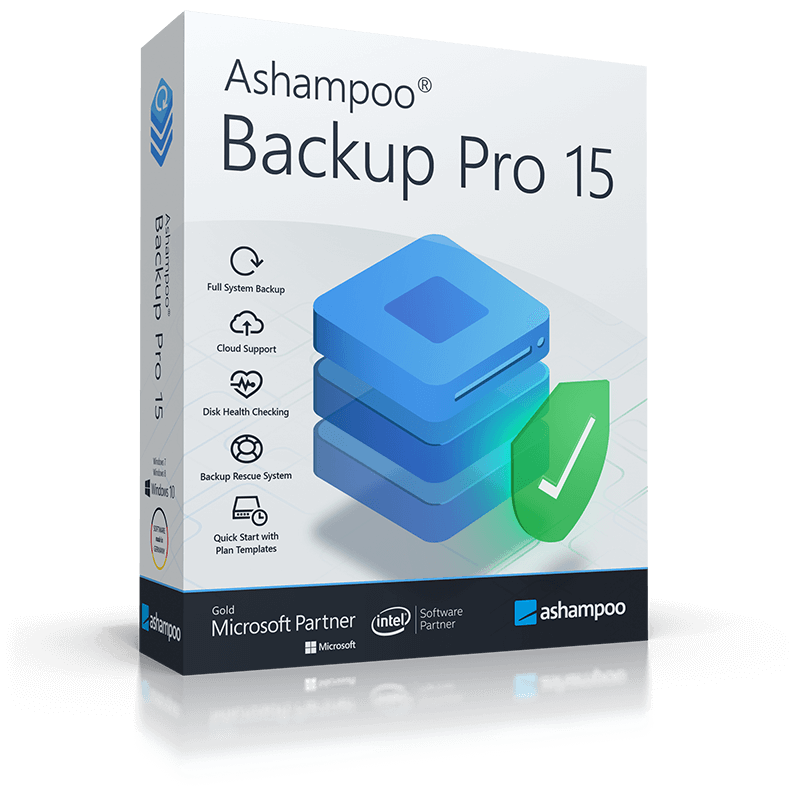
Reviews for Ashampoo Backup Pro 15
Click Here to Read Reviews for Ashampoo Backup Pro 15 >> Click Here to Submit Reviews for Ashampoo Backup Pro 15 >>