What Does Ashampoo Burning Studio 2023 Do?
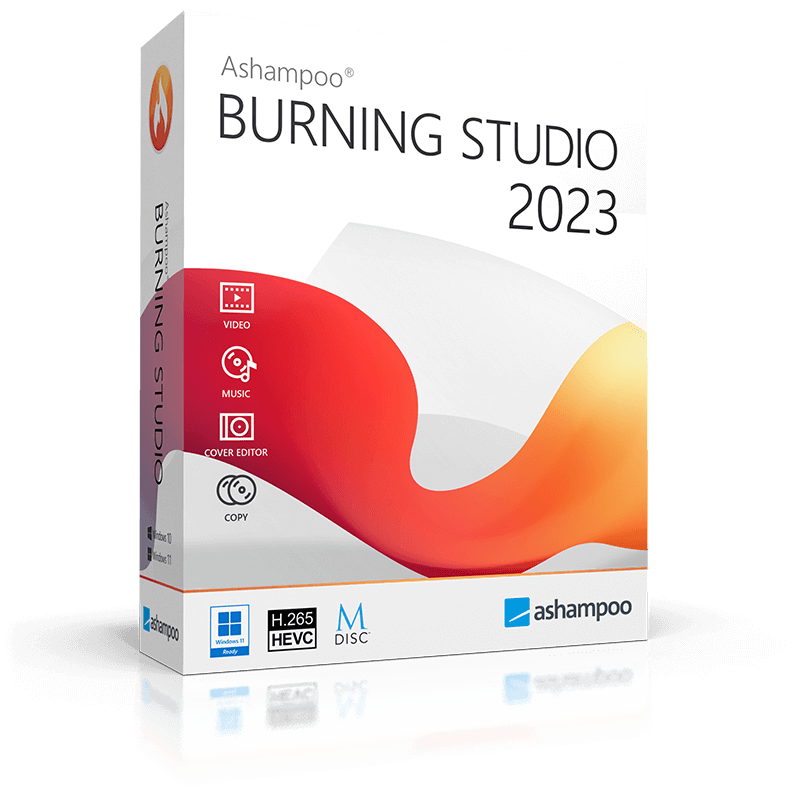
Ashampoo Burning Studio 2023 is a comprehensive utility designed for writing data, movies, and music to any recordable disc format, including CD, DVD, Blu-ray, and specialized media like BDXL and M-Disc. The software automates the audio ripping process, identifying track names and generating playlists for custom audio discs that can be finalized for playback on legacy hardware and car radios.
The program includes several technical tools for managing large-scale data storage. Its disc spanning feature automatically distributes files across multiple volumes when they exceed the capacity of a single disc. To ensure long-term data integrity, the software incorporates scratch protection, allowing for data retrieval even from discs with significant surface damage. It also provides native support for managing and previewing disc images in ISO and CUE/BIN formats.
Beyond optical media, the 2023 version features 1-Click Backup functionality for external drives, smartphones, and tablets. Users can also utilize the integrated design suite and an enhanced cover search to create custom inlays and packaging. Key capabilities of the software include:
- Burn files to single or multiple CDs, DVDs, and Blu-ray discs
- Copy discs and rip audio with automatic track detection
- Create scratch-protected media for enhanced data safety
- Back up data from cellphones, tablets, and external hard drives
- Design and print custom covers and inlays for all disc types
- Full Windows 11 compatibility and interactive cover search
Top 5 Reasons To Download Ashampoo Burning Studio 2023
- Unmatched Media Versatility and Format Support: From standard CDs to high-capacity BDXL and archival M-Discs, this software handles every physical format you could possibly need.
- Next-Level Data Security with Scratch Protection: A unique feature that ensures your data remains readable even if the disc surface becomes heavily scratched or damaged over time.
- Automated Data Spanning for Massive Collections: Effortlessly split huge folders of photos, videos, or documents across multiple discs without manual sorting.
- Professional-Grade Audio Ripping and Multimedia Tools: Extract music with automatic track detection and create custom audio CDs perfectly formatted for older car stereos and retail players.
- A Complete Backup Solution for Mobile and Desktop: Integrated tools to back up not just your PC files, but also your cellphones, tablets, and external drives with a single click.
Let’s get something straight right out of the gate: the rumors of the death of physical media have been greatly exaggerated. While the world is moving toward the cloud, seasoned tech enthusiasts know that "the cloud" is just someone else's computer. If you want true ownership of your data, your music, and your movies, you need a physical backup. However, the days of clunky, complicated burning software that produces "coasters" instead of working discs are over. Enter Ashampoo Burning Studio 2023. This isn't just a utility; it’s a powerhouse for anyone who values their digital life. If you have the chance to grab this giveaway, you shouldn’t just consider it—you should do it immediately. Here is why this software is an absolute essential for your Windows 11 toolkit.
1. Unmatched Media Versatility and Format Support
In the modern tech landscape, we are constantly juggling different types of data. One day you’re burning a simple 700MB audio CD for a legacy player, and the next you’re trying to archive 100GB of 4K video footage. Most free burning tools crumble the moment you ask them to do anything beyond a basic data DVD. Ashampoo Burning Studio 2023, however, is built like a Swiss Army knife for optical media.
It supports the full spectrum: CD, DVD, and Blu-ray. But it goes much further than the basics. It supports BDXL, which allows you to store massive amounts of data on a single disc. Even more impressive is the support for M-Disc. For those who don't know, M-Disc is the gold standard for archival storage, designed to last up to 1,000 years. By using Ashampoo to burn to M-Disc media, you aren't just making a backup; you are creating a digital time capsule for future generations. Whether you are a professional photographer needing to offload RAW files or a movie buff creating a physical library of home films, the sheer breadth of format support here ensures you will never hit a compatibility wall.
Furthermore, the software handles ISO, CUE/BIN, and ASHDISC images with professional precision. The integrated image preview allows you to browse the contents of a disc image before you ever commit it to a physical disc. This saves time, money, and materials, making the entire burning process more efficient and reliable than any other tool I’ve tested in recent years.
2. Next-Level Data Security with Scratch Protection
The biggest argument against physical discs has always been their fragility. We’ve all been there: you find an old backup disc from five years ago, but it’s covered in small surface scratches, and your computer refuses to read the most important files. This is where Ashampoo Burning Studio 2023 changes the game with its innovative scratch protection technology.
This isn't just marketing fluff; it's a clever implementation of data redundancy. When you burn a scratch-protected disc, the software distributes multiple copies of your data across the disc surface along with specialized recovery information. If the disc gets scratched, the software can use the redundant bits to piece the original file back together. It’s like having a built-in "safety net" for your most precious memories. In an era where digital data is increasingly ephemeral, having this kind of physical insurance policy is a huge relief. Whether it's your wedding photos or critical tax documents, the scratch protection feature ensures that a minor accident doesn't turn into a data disaster.
This focus on security extends to the 1-Click Backup functionality as well. The program isn't just for burning; it’s a full-fledged backup suite. You can password-protect your archives, ensuring that even if your disc falls into the wrong hands, your private information remains encrypted and inaccessible. This level of security is usually reserved for expensive enterprise software, but Ashampoo brings it to the home user in a package that is incredibly easy to navigate.
3. Automated Data Spanning for Massive Collections
We are living in the age of "Big Data" at home. Our photo libraries are tens of gigabytes, and our high-definition video collections are even larger. Trying to fit these onto discs used to be a nightmare of manual calculation. You would have to sit there, selecting files one by one, trying to get as close to 4.7GB (for a DVD) as possible without going over. If you had 20GB of data, you’d have to do this four or five times.
Ashampoo Burning Studio 2023 eliminates this frustration entirely with its Disc Spanning feature. You simply point the software at the massive folder you want to back up, and it does the math for you. It automatically calculates how many discs are required and splits the data across them logically. As you burn, the software prompts you to insert the next disc when the previous one is full. It even creates a unified index, making it easy to find exactly which disc contains a specific file later on.
This feature is a godsend for anyone performing a full system backup or archiving a massive music library. It turns a tedious, multi-hour chore into a "set it and forget it" process. When you combine this with the software's Windows 11 compatibility, you get a seamless experience that feels integrated into the modern OS. It’s fast, it’s smart, and it respects your time.
4. Professional-Grade Audio Ripping and Multimedia Tools
For the audiophiles out there, this software is a dream come true. While many people have shifted to streaming, there is a massive community of collectors who still value high-quality audio CDs. Ashampoo Burning Studio 2023 treats audio with the respect it deserves. When you rip a CD, the software doesn't just pull the raw data; it uses an intelligent auto-detection system to identify track names, artists, and album titles. No more "Track 01, Track 02" files—your library stays organized from the moment it hits your hard drive.
But the multimedia features don't stop at ripping. If you've ever tried to burn a CD to play in an older car radio or a dedicated home stereo system, you know that those devices can be incredibly picky about formats. This program includes a "finalization" feature that ensures your burned discs are compliant with retail players. You can create custom playlists during the ripping process, allowing you to curate the perfect mix for a road trip without ever leaving the interface.
Furthermore, the software allows you to turn your audio files into custom audio discs complete with individually designed covers and inlays. This brings us back to the tactile joy of physical media. There is something uniquely satisfying about holding a disc you created, complete with a professional-looking cover. For those who still enjoy the ritual of physical music, these tools are indispensable.
5. Professional Cover Design and Enhanced User Experience
Let’s talk about the "vibe" of the software. A lot of utility programs are ugly, utilitarian, and look like they were designed in 1995. Ashampoo Burning Studio 2023 is different. It features a sleek, modern, and interactive user interface that actually makes it fun to use. The layout is intuitive; even if you’ve never burned a disc in your life, you can navigate the menus and start your first project in seconds.
One of the standout updates in the 2023 version is the enhanced cover search. When you’re creating a disc, you want it to look good. The new interactive search tool makes it easier than ever to find high-quality album art or movie posters to use for your covers. The built-in designer allows you to create covers, inlays, and labels for every disc type imaginable. Whether you want a simple list of contents or a full-blown artistic masterpiece, the tools are right there at your fingertips.
The software also includes a "History" feature that remembers your last 20 projects, making it incredibly easy to reproduce a disc or pick up where you left off. This attention to user workflow is what separates Ashampoo from the competition. They haven't just built a burning engine; they've built a comprehensive creative suite. The program is lightweight, responsive, and doesn't bog down your system resources, which is a breath of fresh air compared to some of the bloated "all-in-one" media suites on the market.
In conclusion, Ashampoo Burning Studio 2023 is more than just a way to put files on a disc. It is a data preservation tool, a multimedia creator, and a backup powerhouse all rolled into one. It bridges the gap between the high-tech requirements of today (Windows 11, mobile backups, BDXL) and the reliable, tactile nature of physical media. If you care about your data, if you love your music, and if you want a software experience that is as powerful as it is easy to use, you need to download this giveaway. It is a rare example of a "classic" software category being perfected for the modern age. Don't let your data live only in the cloud—give it a permanent, secure, and stylish home with Ashampoo.
Final Reviewer Note: If you are looking for a reliable way to ensure your files survive the next decade, or if you simply want the best tool for creating custom media, this is the one. The scratch protection alone makes it worth the download, but the full feature set makes it an absolute steal. Get it while it's available!

Reviews for Ashampoo Burning Studio 2023
Click Here to Read Reviews for Ashampoo Burning Studio 2023 >> Click Here to Submit Reviews for Ashampoo Burning Studio 2023 >>