What Does iBoysoft File Protector Do?
iBoysoft File Protector is a dedicated security utility designed to prevent unauthorized access to local data. It acts as a defensive layer for sensitive files and folders, mitigating risks associated with privacy leaks, data theft, and accidental modification. The software allows users to restrict third parties from viewing, altering, or deleting content without explicit permission.
Beyond standard access control, the tool provides a safeguard against external threats. By locking specific directories, the software protects files from being corrupted or encrypted during a virus or ransomware attack. The application is compatible with several iterations of the Windows operating system, including Windows 7, 8, and 10, as well as Windows Server versions 2008 R2, 2012, and 2016.
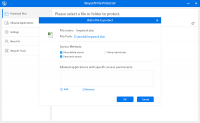
A notable technical feature is the software's granular access management. Users can whitelist specific applications, allowing trusted programs to interact with protected data as if it were an ordinary file. This allow list functionality ensures that necessary software can perform routine tasks without requiring the user to manually disable protection or remove security layers. By centralizing data security under a single master password, the utility simplifies the management of private information across internal storage drives.
Top 5 Reasons To Download iBoysoft File Protector
- Unbeatable Privacy Guard: Prevents unauthorized viewing of sensitive files and folders by locking them behind a secure layer that only you can bypass.
- Advanced Protection Against Deletion and Modification: Acts as a secondary shield that prevents even the most aggressive viruses or accidental user errors from altering or deleting your critical data.
- Innovative "Allow List" for Applications: A standout feature that lets you whitelist specific programs to access your protected data without compromising your overall security setup.
- Comprehensive Anti-Ransomware Defense: Safeguards your digital life from modern cyber-threats by ensuring your files remain untouched even if a malicious entity gains access to your operating system.
- High Compatibility and Lightweight Performance: Runs seamlessly across various Windows versions, including Server editions, without slowing down your computer’s performance or interfering with your daily workflow.
1. Unbeatable Privacy Guard
In today's digital age, privacy is no longer a luxury—it is a necessity. We live our lives through our computers, storing everything from financial records and tax documents to personal family photos and private journals. But let’s be honest: how secure is your data, really? If you share a computer with family members, or if you ever leave your laptop unattended in a coffee shop or office, your "private" files are often just a few clicks away from prying eyes. This is the first and most compelling reason why you need to download iBoysoft File Protector during this giveaway. This software creates an ironclad barrier between your sensitive information and anyone else who might sit down at your keyboard.
Most people think that using the built-in "hidden" folder feature in Windows is enough to keep people out. As any tech reviewer will tell you, that is a dangerous misconception. Any user with a basic understanding of folder options can reveal hidden files in seconds. iBoysoft File Protector takes a much more sophisticated approach. It doesn’t just hide the files; it locks the access permissions at a system level. This means that even if someone knows exactly where your files are located, they won't be able to open them, read them, or even see a thumbnail preview of them without your explicit authorization. It turns your hard drive into a digital vault, ensuring that your private business remains exactly that—private.
Think about the peace of mind this brings. When you have this software installed and configured, you no longer have to worry about a curious child accidentally opening a work document or a nosy colleague stumbling across your personal projects. The software provides a clean, intuitive interface that allows you to drag and drop files into the protection list, giving you instant control over your digital boundaries. It’s about taking back control of your personal space in a world that is increasingly interconnected and intrusive.
2. Advanced Protection Against Deletion and Modification
Data loss isn't always about someone stealing your information; often, it’s about someone—or something—destroying it. We’ve all been there: you’re cleaning up your hard drive, you select a group of files to delete, and a split second after hitting "empty recycle bin," your heart sinks because you realize you included a critical project folder in the batch. Or perhaps a younger sibling or a less tech-savvy relative uses your computer and accidentally moves or deletes your most important files. This is where iBoysoft File Protector truly shines as a lifesaver.
One of the core functionalities of this application is its ability to prevent the altering or deleting of data. When you add a file or folder to the protection list, you can specifically set permissions that forbid any changes to that data. This means the file becomes "read-only" in the most extreme sense of the word. It cannot be renamed, it cannot be moved to a different directory, and most importantly, it cannot be sent to the trash. This creates a safety net that protects you from your own mistakes and the mistakes of others.
Furthermore, this protection extends to malicious software. While we often think of viruses as things that steal passwords, many modern threats are designed simply to wreak havoc by deleting system files or user data. By using this software, you are adding a layer of protection that operates independently of your standard antivirus. Even if a script manages to bypass your firewall, it will find your protected files impossible to touch. This "lock-down" feature is an essential tool for anyone who handles "mission-critical" data, whether you are a developer protecting source code, a writer protecting a manuscript, or a parent protecting a decade’s worth of family memories.
3. Innovative "Allow List" for Applications
Now, let’s talk about the feature that really sets iBoysoft File Protector apart from the dozens of other security tools on the market: the ability to allow specific applications to access protected files. In most file-locking software, the protection is "all or nothing." If you lock a folder, no one can touch it—including you—until you manually go back into the security software and unlock it. This creates a massive bottleneck in your workflow. If you are a graphic designer who has locked your asset folder for security, you don't want to have to unlock it every single time you need to open a file in Photoshop.
iBoysoft has solved this problem with an elegant "Allow List" (or whitelisting) system. You can configure the software so that certain "trusted" applications can bypass the protection and interact with the files as if they were ordinary, unprotected data. For example, you could lock your "Financial Documents" folder so that no one can browse it through File Explorer, but you can whitelist Microsoft Excel so that you can open your spreadsheets directly within the app without any extra steps. This is a game-changer for productivity.
This feature strikes the perfect balance between high-level security and daily usability. As a tech reviewer, I always look for software that respects the user's time. We want to be safe, but we don't want that safety to become a chore. By allowing you to designate specific, necessary applications that can view or edit your protected files, iBoysoft ensures that your security stays out of your way. You get the benefit of a locked-down system without the constant "bother" of toggling protection on and off. It’s smart, it’s efficient, and it’s one of the best reasons to grab this download while it’s available.
4. Comprehensive Anti-Ransomware Defense
If you’ve been following tech news over the last few years, you know that ransomware is the single biggest threat to individual computer users and large corporations alike. Ransomware works by infiltrating your system and encrypting all of your personal files, holding them hostage until you pay a massive fee to the attackers. Often, even if you pay, there is no guarantee you will get your data back. Standard antivirus software is constantly playing catch-up with these threats, and sometimes a brand-new "zero-day" attack can slip through the cracks.
iBoysoft File Protector provides an incredibly effective "last line of defense" against ransomware. Because the software prevents unauthorized "altering" of files, a ransomware script—which must alter a file to encrypt it—is stopped dead in its tracks. Even if your computer is compromised and the virus is running with administrative privileges, iBoysoft’s protection layer can keep your most significant files/folders safe from being modified. It acts like a digital bulletproof vest for your data.
In a world where cyber-attacks are becoming more sophisticated, relying on a single layer of security is a recipe for disaster. You need a multi-tiered approach. By downloading this software, you are adding a specialized defense mechanism that focuses specifically on file integrity. Even in the worst-case scenario where your main security suite fails, your protected files remain in an unchangeable state. For anyone who stores irreplaceable data on their Windows machine, this feature alone makes the software worth its weight in gold. Don't wait until you see a ransom note on your screen to start thinking about file protection; take advantage of this giveaway now and build your defenses today.
5. High Compatibility and Lightweight Performance
One of the biggest complaints users have about security software is that it "bloats" the system. We’ve all installed an antivirus or a privacy suite that suddenly makes our fast PC feel like it’s running through mud. As someone who tests software for a living, I am happy to report that iBoysoft File Protector is remarkably lightweight. It is designed to do its job quietly in the background without hogging your CPU or RAM. You won't even notice it's there until you need it, which is exactly how good security software should behave.
Furthermore, the compatibility range is impressive. It isn't just for the latest high-end gaming rigs running Windows 11. It fully supports Windows 10, Windows 8, and Windows 7. But where it truly stands out is its support for Windows Server 2008 R2, 2012, and 2016. This makes it an incredible tool for small business owners or IT professionals who need to secure data on a server environment where multiple users are constantly logging in and out. Finding a reliable, easy-to-use file protector that works across both consumer and server versions of Windows is a rarity.
The installation process is straightforward, and the learning curve is virtually non-existent. Whether you are a "power user" or someone who just uses their computer for basic tasks, you will find the interface easy to navigate. The software doesn't bombard you with complex jargon or endless pop-up notifications. It provides a simple, clean, and effective way to ensure the protection and privacy of your files is no longer a problem. When you combine this broad compatibility with its low system impact and professional-grade security features, it’s clear that this is a "must-have" utility for any Windows user.
Conclusion
In summary, iBoysoft File Protector is a robust, user-friendly, and essential tool for anyone looking to secure their digital life. From preventing nosy family members from seeing your private files to protecting your entire business history from a ransomware attack, the benefits of this software are undeniable. It solves the problem of unauthorized access while maintaining your productivity through its clever application whitelisting feature. It is a specialized, high-performance shield that keeps your data safe, secret, and secure.
Opportunities to get high-quality security software like this for free don't come around often. If you value your privacy and want to ensure that your files are protected from deletion, theft, or virus attacks, you should not hesitate. Download iBoysoft File Protector today and experience the peace of mind that comes with knowing your most important data is under lock and key. Stop leaving your privacy to chance and start protecting it with a tool that actually works.


Reviews for iBoysoft File Protector
Click Here to Read Reviews for iBoysoft File Protector >> Click Here to Submit Reviews for iBoysoft File Protector >>