What Does PhotoScissors Do?
PhotoScissors is a specialized foreground segmentation tool designed to automate the process of removing backgrounds from still images. Unlike traditional photo editors that require manual selection with tools like the Lasso or Magic Wand, this software uses an interactive algorithm to identify clipping paths.
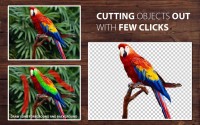
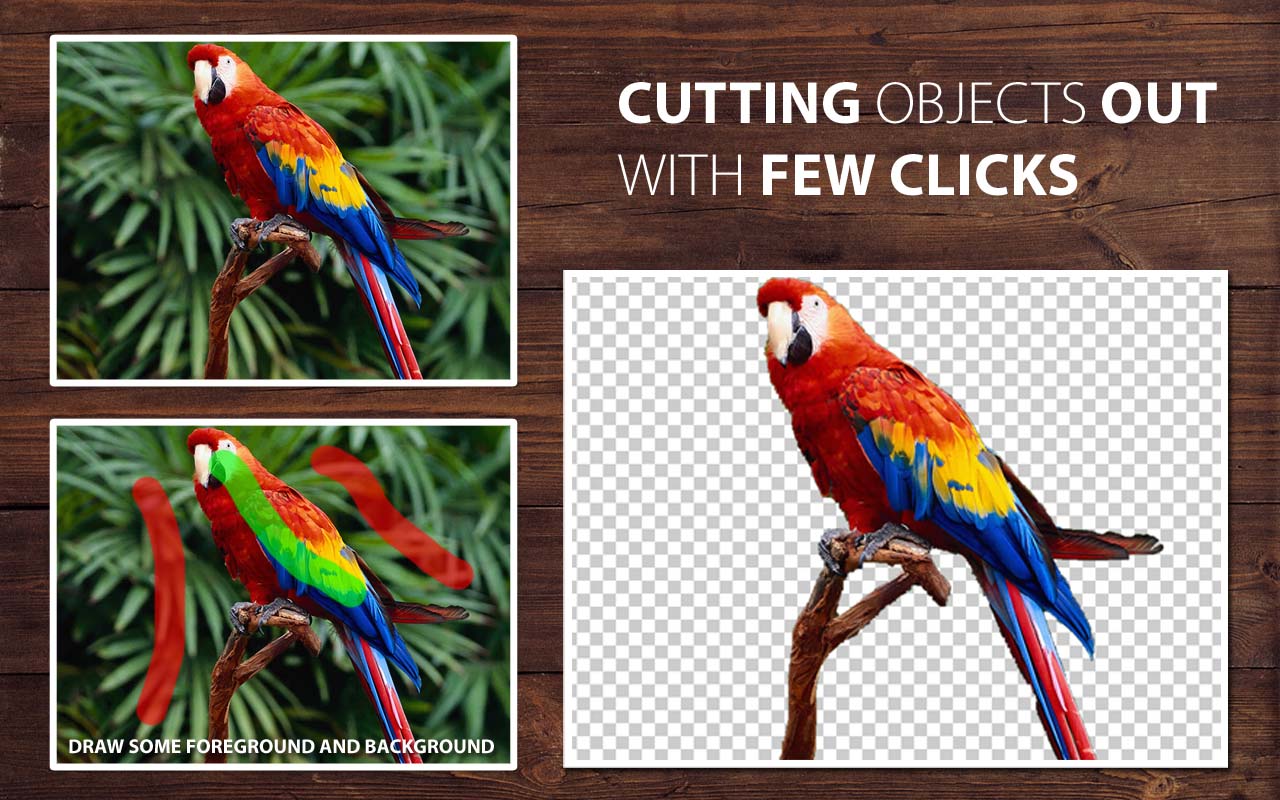
Users mark the foreground object with a green brush and the background with a red brush. The software then analyzes the edges to separate the subject from its surroundings automatically. This method eliminates the need for pixel-perfect manual selection, making the process accessible to users without professional graphic design skills. For more complex edges, the tool includes additional brushes to refine the final result.
The primary utility of PhotoScissors lies in its speed for common editing tasks. It is frequently utilized to prepare product images for e-commerce platforms, create transparent PNGs for profile photos, and isolate objects for digital compositions. Other functional applications include:
- Replacing backgrounds with solid colors or picturesque scenes.
- Creating photo collages and graphic overlays.
- Removing distracting elements from tourism or personal photography.
- Preparing imagery for job-seeking and dating websites.
By optimizing the analysis of clipping edges, the software reduces the labor required for image extraction while maintaining an accurate clipping path suitable for web and digital distribution.
Top 5 Reasons To Download PhotoScissors
- Unrivaled Simplicity through Interactive Segmentation: Say goodbye to the steep learning curve of professional suites and hello to an intuitive "green and red" marking system.
- High-Precision Edge Detection: Automatically handle complex edges like hair, fur, and translucent objects without manual pixel-hunting.
- Massive Time Savings for E-commerce: Prepare product shots for eBay, Amazon, and Etsy in seconds rather than hours.
- Professional Results Without the Professional Price Tag: Achieve high-end clipping paths and transparency effects that used to require a graphic design degree.
- Versatile Creative Freedom: Seamlessly create collages, replace boring backgrounds, and retouch photos for a more polished, professional impression.
If you have ever spent an entire afternoon wrestling with the "Magnetic Lasso" tool in a heavy-duty photo editor, you know that background removal is often the most frustrating part of digital imaging. It is a tedious, eye-straining task that usually requires a steady hand and a lot of patience. However, the tech landscape is shifting, and PhotoScissors is leading the charge toward a more automated, user-friendly future. This interactive cutout tool is not just another utility; it is a specialized engine designed to do one thing perfectly: foreground segmentation. Whether you are a small business owner, a social media influencer, or just someone who wants to make their vacation photos look a little more "pro," this giveaway is an absolute game-changer. Let’s dive deep into why you need to hit that download button right now.
1. Unrivaled Simplicity through Interactive Segmentation
The biggest barrier to entry for high-quality photo editing has always been the complexity of the software. Most "pro" tools assume you want to spend weeks watching tutorials just to learn how to cut out a person from a portrait. PhotoScissors flips the script by utilizing a smart, interactive segmentation algorithm. Instead of demanding that you trace a perfect line around an object—a task that is nearly impossible with a standard computer mouse—the software asks you to simply "guide" it.
The interface relies on two primary markers: a green brush for the foreground (the stuff you want to keep) and a red brush for the background (the stuff you want to disappear). You don't even need to be precise. A few rough strokes are usually enough for the software to "see" the edges you are aiming for. It analyzes the colors, textures, and contrast boundaries to create a clipping path automatically. This interactive nature means that if the software misses a spot, you just give it a little more "green" or "red" feedback, and it recalculates in real-time. It is the closest thing to magic I have seen in a dedicated utility tool. For the average user, this turns a twenty-minute chore into a ten-second victory.
2. High-Precision Edge Detection
The "holy grail" of background removal has always been the "hair test." Anyone can cut out a square box, but try cutting out a person with wispy hair or a dog with fluffy fur, and most software will leave you with a jagged, "photoshopped" look that screams amateur hour. This is where PhotoScissors truly shines and why it stands head and shoulders above free web-based alternatives.
The software features optimized analysis of clipping edges. It doesn't just look for color differences; it looks for the transition zones. By using the specialized brushes for fine-tuning, you can tell the program to look closer at those tricky semi-transparent areas. This ensures that the transition between your subject and the new background is smooth and natural. You won't find those ugly white "halos" or pixelated edges that usually plague quick cutouts. If you are trying to create a professional-looking headshot for a job-seeking website or a dating profile, this level of precision is exactly what you need to ensure the final image looks authentic and high-quality.
3. Massive Time Savings for E-commerce
Time is money, especially if you are running an online business. If you are an eBay or Amazon seller, you know that the "Gold Standard" for product photos is a crisp, clean, white background. In the past, this meant either hiring a professional photographer or spending hours in post-production for every single item in your inventory. With PhotoScissors, you can effectively become your own production studio.
Because the tool is so fast, you can process dozens of product photos in the time it would normally take to do one. You can quickly snap a photo of an item on your kitchen table, run it through PhotoScissors, and have a professional, transparent PNG or white-background JPEG ready for upload in moments. The software handles the "foreground segmentation" so intelligently that it preserves the shadows and details of your product, making it look like it was shot in a high-end lightbox. For anyone managing a digital storefront, the efficiency gain alone makes this download an essential part of your workflow. It allows you to focus on selling rather than clicking pixels.
4. Professional Results Without the Professional Price Tag
We live in a world of subscription-based software where you have to pay every month just to keep your tools working. For most people, paying for a massive, bloated creative suite just to remove backgrounds is a waste of money. PhotoScissors offers a focused, powerful alternative that provides professional-grade results without the overhead. By downloading this giveaway, you are essentially gaining a high-end capability that usually lives behind a very expensive paywall.
The "smart" ways of removing backgrounds used by this tool involve complex mathematical algorithms—segmentation techniques that were once the exclusive domain of research labs. PhotoScissors brings this technology to your desktop in a lightweight package. You get access to features like alpha channel handling and antialiasing, which are technical terms for "making it look good." You can change the background to a solid color, a picturesque landscape, or keep it transparent for further editing. Having this level of power at your fingertips for free is an opportunity no tech-savvy user should pass up. It levels the playing field, allowing hobbyists to produce content that rivals that of professional designers.
5. Versatile Creative Freedom
Beyond the practicalities of business and professional profiles, PhotoScissors is quite simply a fun tool for creative expression. Removing a background is often just the first step in a larger creative journey. Once you have isolated your subject, the possibilities are endless. You can create hilarious photo jokes, design personalized greeting cards, or build complex digital collages.
Imagine taking a photo of your kids in the backyard and instantly "teleporting" them to the moon, or taking a selfie and placing yourself in front of the Eiffel Tower. While these might sound like simple fun, they are the building blocks of digital storytelling. The software’s ability to "swap" backgrounds seamlessly means you are no longer limited by where you took a photo. You can retouch tourism photos to remove a boring gray sky and replace it with a vibrant sunset. You can create memes that look significantly better than the low-res versions found on social media. By removing the technical frustration of the "cutout," PhotoScissors unlocks the fun part of photo editing—the part where you get to be an artist. It encourages experimentation because the "cost" of making a mistake is zero; you can always undo a stroke or adjust a marker until the image is perfect.
In conclusion, PhotoScissors is a rare example of a tool that is both incredibly powerful and refreshingly simple. It solves a specific, universal problem with elegance and speed. Whether you are looking to polish your professional image, streamline your business's product listings, or just explore your creative side, this software is the answer. Don’t let this giveaway pass you by. Download it, experiment with it, and watch as those tedious editing tasks disappear into the background—literally.
Final Pro Tip: When you first start using the tool, remember that less is more. You don't need to paint the whole foreground green; just a few strokes in the center of the object and a few red strokes in the background are usually enough for the algorithm to "snap" into place. It’s smarter than you think!

Reviews for PhotoScissors
Click Here to Read Reviews for PhotoScissors >> Click Here to Submit Reviews for PhotoScissors >>